
Description:
This document shows you how to set up an AutoWDS network by means of express integration. Configuration in this way uses the automatic topology management of a LANCOM WLC. Express integration should only be used occasionally and in the presence of the system administrator.
AutoWDS is not supported anymore as of LCOS 10.70. The functionality still remeins intact in LANCOM devices (except in 18xx series routers) and therefore still can be used for existing installations. However LANCOM Systems will not provide any support regarding the configuration and troubleshooting of an AutoWDS scenario.
For further information on the AutoWDS feature, see the corresponding section in the LCOS Reference Manual .
- LCOS as of version 9 (download latest version)
- LANtools as of version 9 (download latest version)
- LANCOM WLAN controller or LANCOM router with WLC Basic option
1) Configuration steps on the LANCOM WLC:
1.2) Log in to your LANCOM WLC using WEBconfig.
1.3) Within the setup menu (LCOS menu tree → Setup) switch to the table WLAN Management → AP Configuration → AutoWDS Profiles.
1.4) Click on the entry DEFAULT to edit the AutoWDS default profile.
1.5) Change the Allow express integration parameter to Yes and save the setting by clicking on Send.
Once you have connected all LANCOM access points using AutoWDS please reset this parameter to "no".
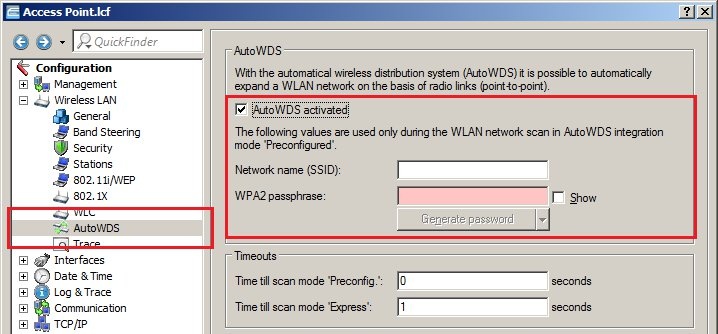
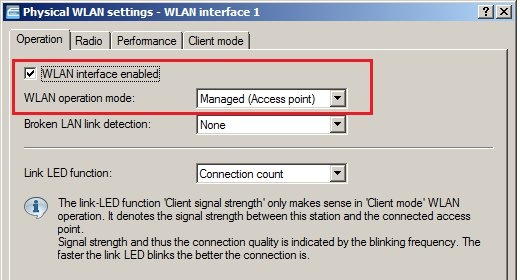
You can find further information on this process in the corresponding section in the LCOS Reference Manual.
