
Description:
This document uses an example trace to document the full processing of an inbound telephone call from call set-up to call termination.
In the interests of readability, the trace has been shortened to a few relevant sections. Traces usually contain some components that have to be skipped as they are not relevant to the analysis.
Scenario:
- A LANCOM VoIP router is connected to a Deutsche Telekom line with three single accounts.
- Connected to the LANCOM router is an ISDN telephone that has been assigned the MSN 12345.
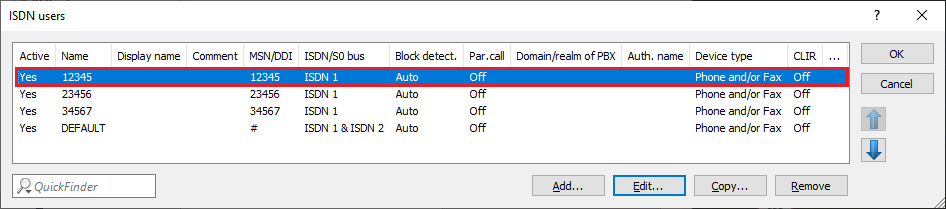
- The ISDN telephone with the MSN 12345 is called by the phone number +49240598765.
- The Internal dest. number 12345 has been entered in the SIP line.

Trace-Analyse:
1) The provider sends an INVITE packet to the LANCOM router.
You can find for the INVITE packet in the trace by searching for the character string INVITE sip . The INVITE packet is a part of the SIP-Packet trace.
The following important parameters are included in the INVITE :
- Receiving datagram: This is an inbound packet received by the router.
- The Request-Line consists of the INVITE sip followed by the target number (in this case +49240512345). The target number is primarily derived from the Request-Line.
- To: <sip:+49240512345: The Phone number in the To field is the target number .
- From: <sip:+49240598765: The phone number in the From field is the source number .
- Call-ID: p65552t1576680260m219302c335753303s2: The Call-ID is a unique identifier that you can search for in the trace to output the SIP flow.
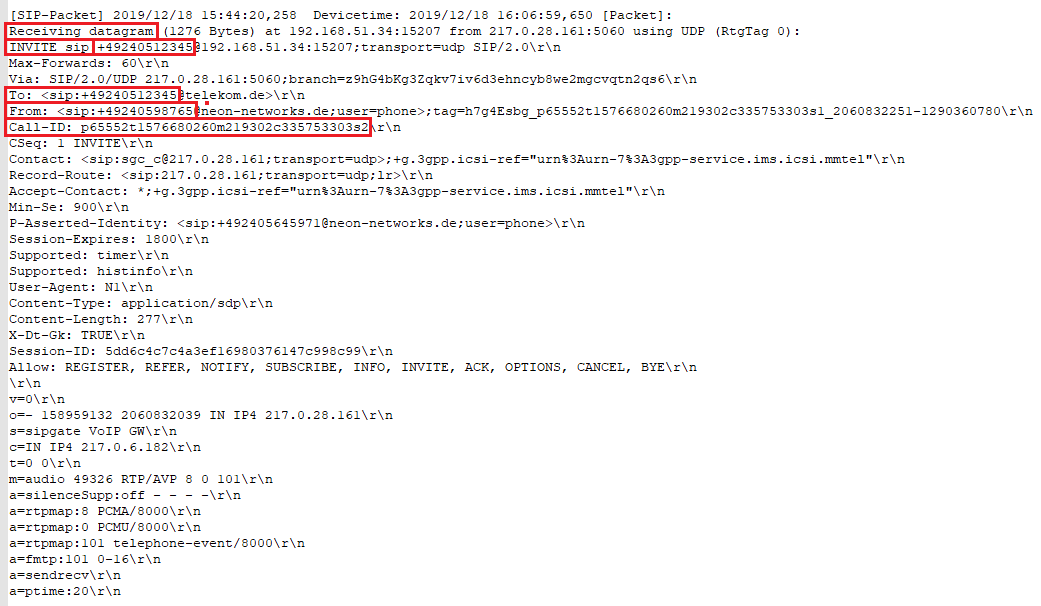
2) The number in the To field (+49240512345) is replaced by the Internal dest. number in the corresponding SIP line (see Scenario).

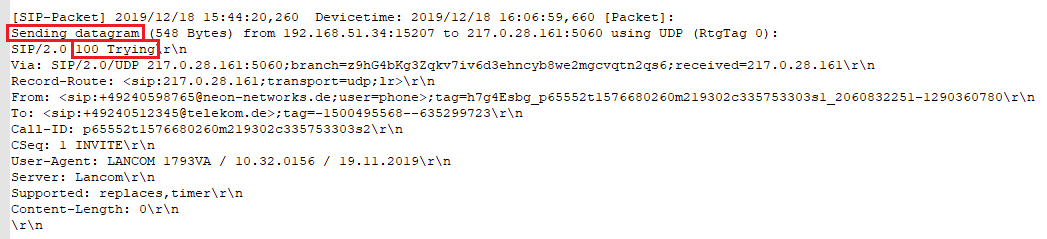
3) The router sends the message 100 Trying to the provider to signal that the call is being forwarded. This is an outbound packet ( Sending datagram ).
4) The target number 12345 (see step 2 ) passes through the Call Routing table. The phone number does not match any call route, so the number is forwarded to the user table, where a match to an ISDN user is found (see scenario).
For more information on the Call routing table, see this knowledge base article .



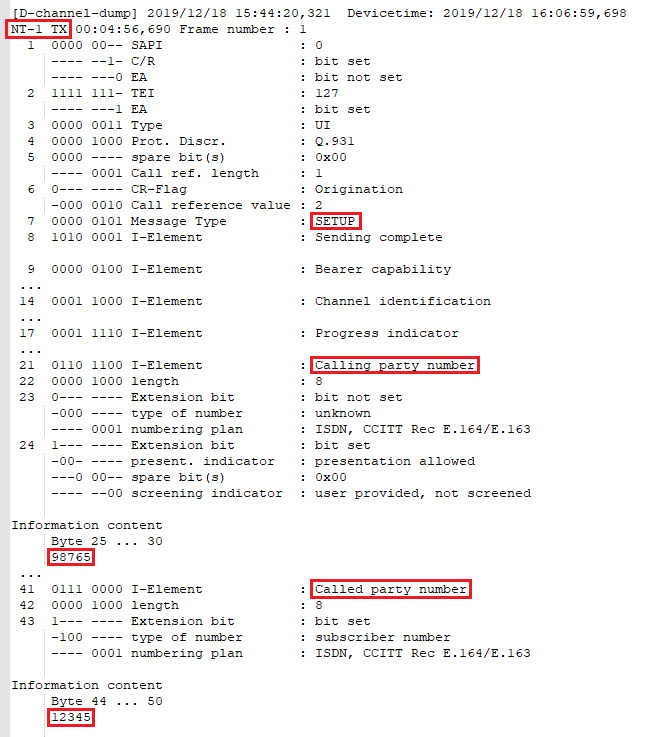
5) The LANCOM router sends a SETUP to the ISDN telephone. The SETUP indicates the establishment of the ISDN connection.
You can identify this packet precisely by searching the trace for SETUP . The SETUP packet is a part of the D-channel-dump trace.
The following important parameters are included in the SETUP :
- NT-1: The packet was received or sent on the interface ISDN-1. This interface works in NT mode.
- TX: This is an outbound packet .
- Call reference value: That number represents a unique identifier for the call flow on the ISDN. You can find the ISDN call flow in the trace by searching for the complete string (Call reference value: 2).
- Calling party number: This is the number of the calling phone (in this example the 98765 ).
- Called party number: This is the number of the called phone (in this example the 12345).
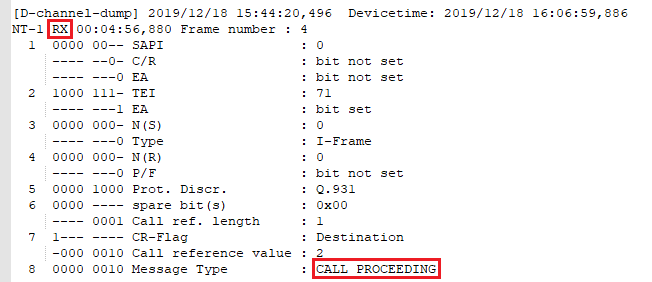
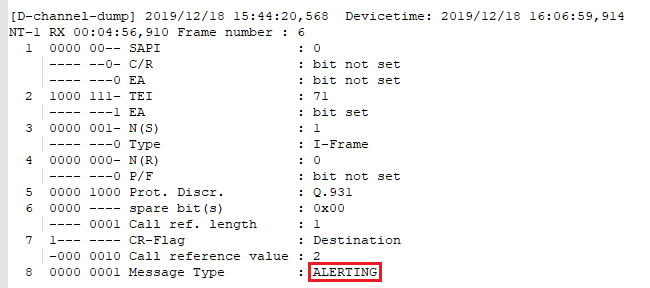
6) The ISDN telephone sends the message CALL PROCEEDING to signal that the call is ongoing and then that the ISDN telephone is ringing ( ALERTING ). Each of these are inbound packets ( RX ).
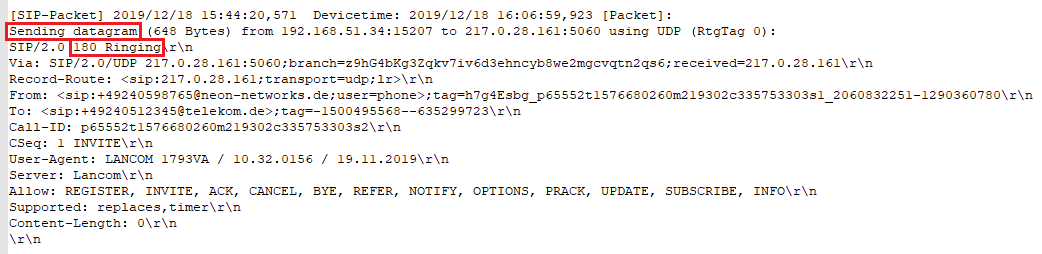
7) The router sends the message 180 Ringing to the SIP provider. This means that the target subscriber’s phone is ringing (see ALERTING in step 6 ).
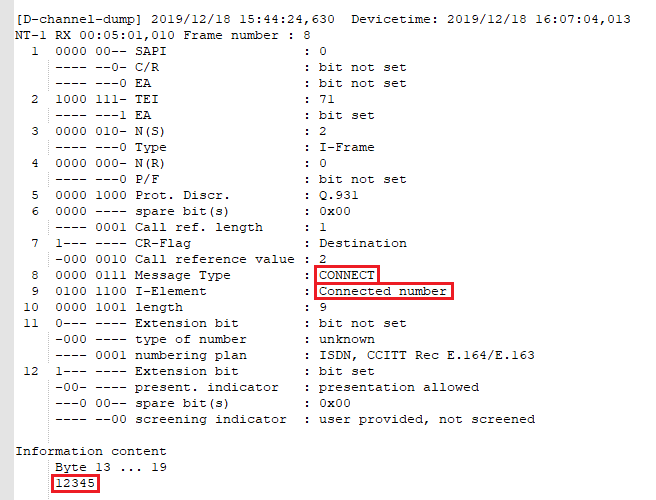
8) The ISDN telephone sends the message CONNECT to inform the router that the call is connected.
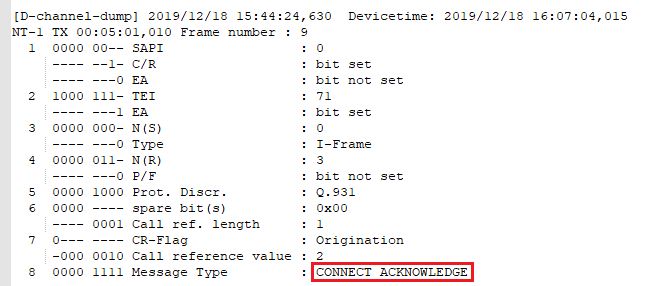
9) The router confirms the CONNECT with the message CONNECT ACKNOWLEDGE .
10) The router sends the message 200 OK to the SIP provider to signal that everything is OK and transmission can begin.

11) The SIP provider confirms the 200 OK message with the message ACK.

12) The ISDN telephone ends the call and sends the message DISCONNECT to the router.

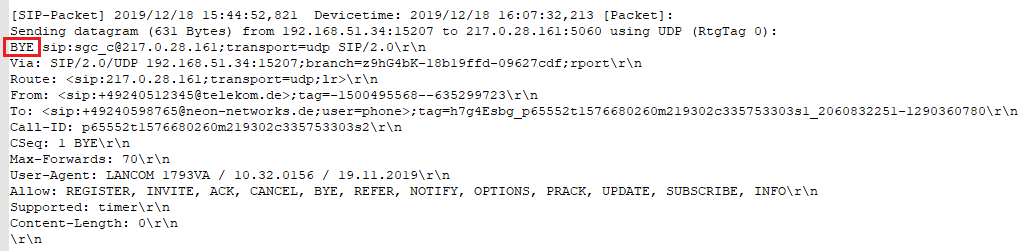
13) The router ends the call in the direction of the provider with the message BYE .
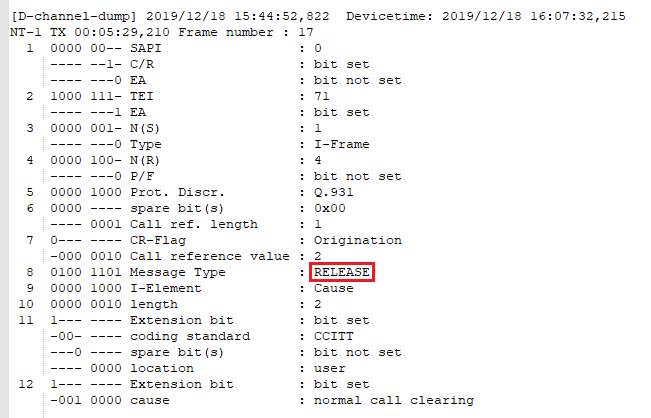
14) The router terminates the ISDN connection to the ISDN telephone and releases the ISDN channel ( RELEASE ).
15) The ISDN telephone confirms the release of the ISDN channel with the message RELEASE COMPLETE .

16) The SIP provider confirms that the call has been ended with the message 200 OK .

