
Information:
One way to add new LANCOM devices to an LMC project is to use the serial number of the device and a PIN, which is included with the device (PIN claiming).
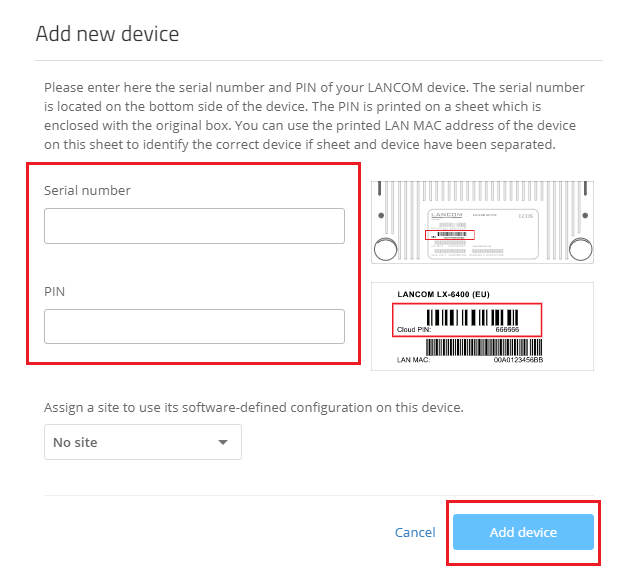
If PIN claiming fails, the LMC behaves as follows for security reasons:
| Number of failed attempts | Behaviour of the LMC |
|---|---|
| 5 | The user's account is locked for 1 minute. Each subsequent failed attempt will result in a further lock for 1 minute. |
| 10 | The user's account is locked for 10 minutes. Each subsequent failed attempt will result in a further lock for 10 minutes. |
| 20 | The user's account is permanently locked. |
| 50 | If all users in a project have a total of 50 failed attempts, the claiming function is permanently locked for all users. |
A successful PIN claiming resets the user's failed attempts.
The failed attempts for the project are not reset after a successful PIN claiming.
After 14 days without further failed attempts, the counter readings for project & user are automatically reset.
- A permanently locked user account can only be unlocked again by LANCOM Support.
