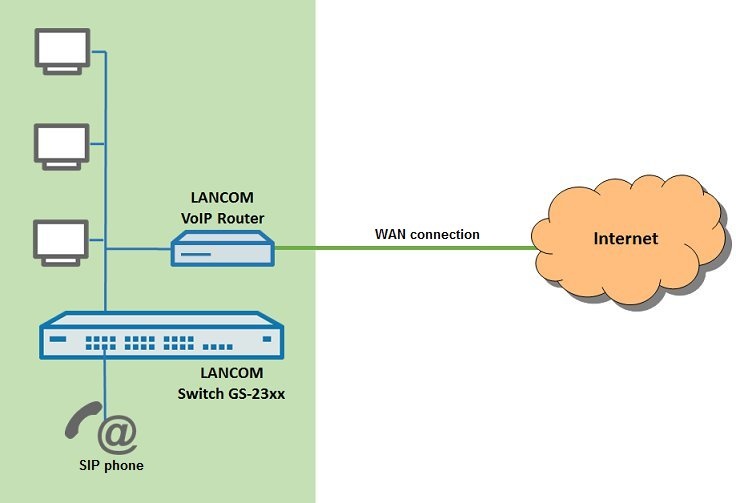
Description:
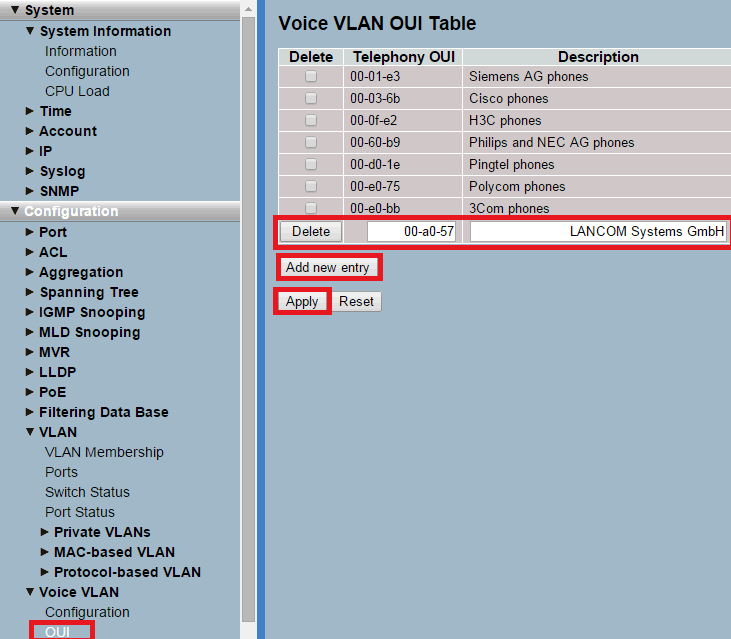
An OUI address (Organizationally Unique Identifier) consists of the first 24 bits of a MAC address. This is the manufacturer ID assigned by the IEEE. For LANCOM devices the OUI 00 is 00:A0:57.
Requirements:
- LANCOM switch of the GS-23xx series with current LCOS SX version (download latest version)
- Any web browser for accessing the webinterface
- The VoIP telephone has to be configured to tag packets with the Voice VLAN ID (active tagging)
Scenario:
- In this example, the voice VLAN has the ID 80.
- The Voice VLAN is activated on the switch port automatically, when a VoIP telephone is connected and recognized by the OUI.
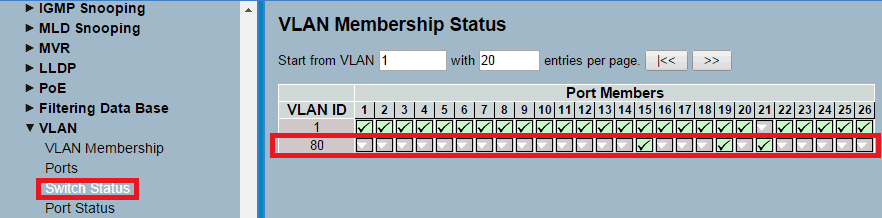
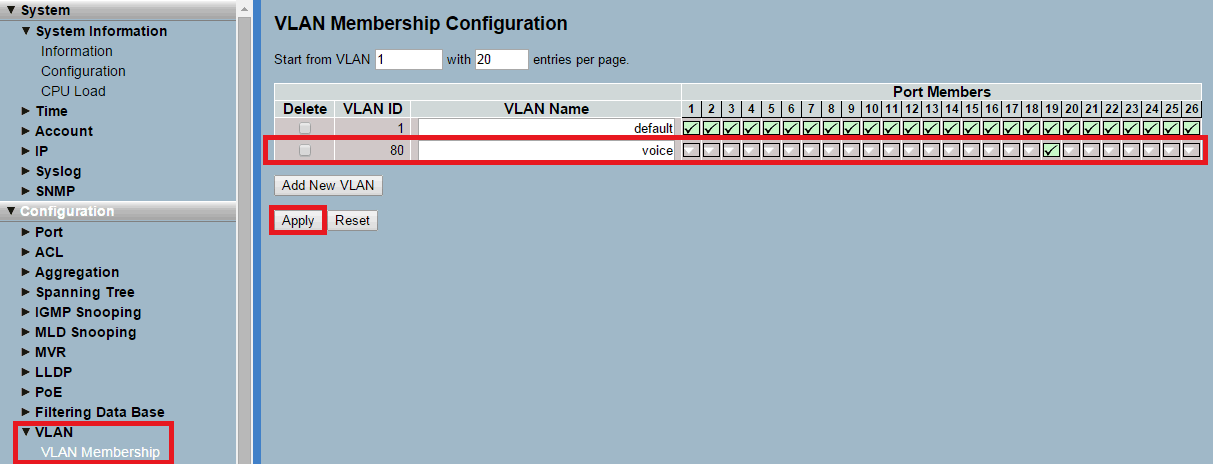
- Add the VLAN 80 and assign a descriptive name.
- For Port Members choose the designated router port.
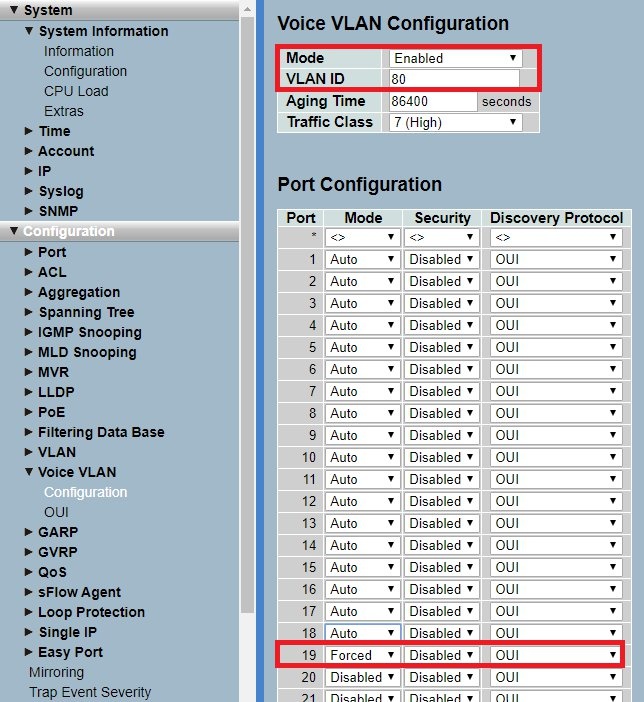
- Activate the Voice VLAN by setting the Mode to Enabled.
- Add the VLAN-ID 80.
- For the designated router port assign the Mode Forced. As Discovery Protocol assign OUI in the dropdown menu.
- Assign the Mode Auto to all ports where SIP telephones shall be connected and assign the Discovery Protocol OUI.
With the mode "Auto" the MAC addresses of connected network devices are learned statically for a port. The mode "Auto" may therefore only be used for a port, a VoIP telephone is directly connected to. If an access point is connected to a port with this mode, this can cause roaming problems, among other things!
If no VoIP telephone is connected to a port, the mode "Disabled" should be used. If a VoIP telephone is connected indirectly to a port (e.g. via an access point), the mode "Forced" has to be used. With the mode "Forced" the MAC addresses of network participants are learned dynamically.
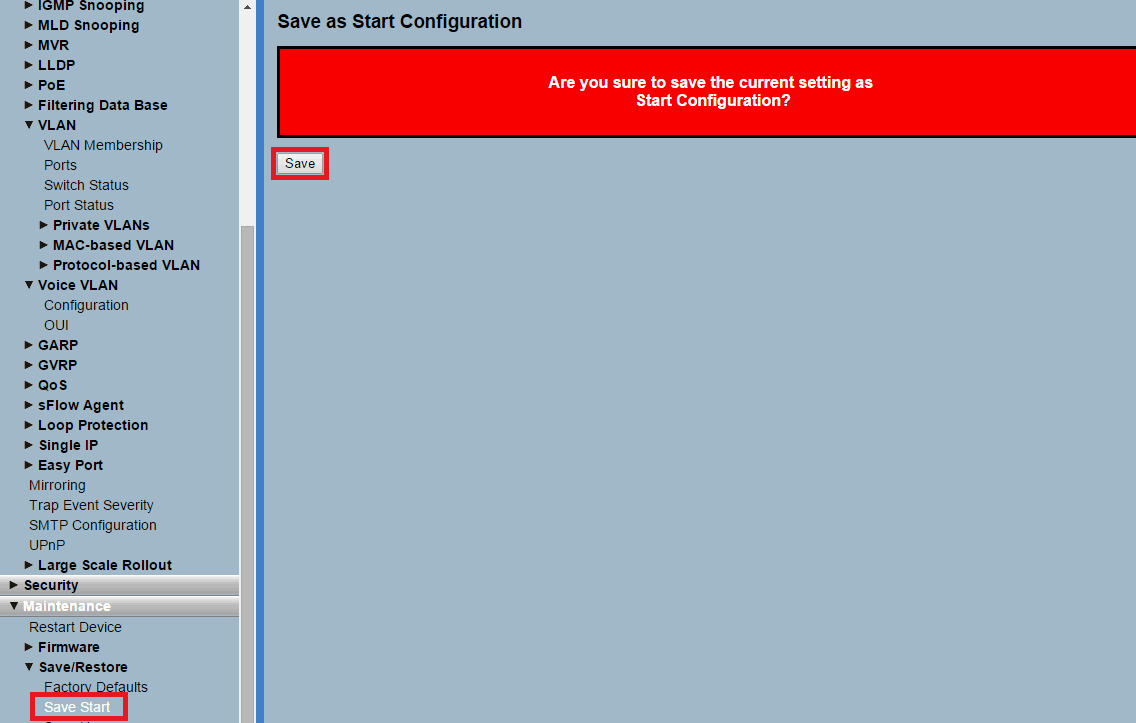
The Start Configuration is saved boot persistent in the device. Thus the configuration is also available after a reboot or a power outage.