Description:
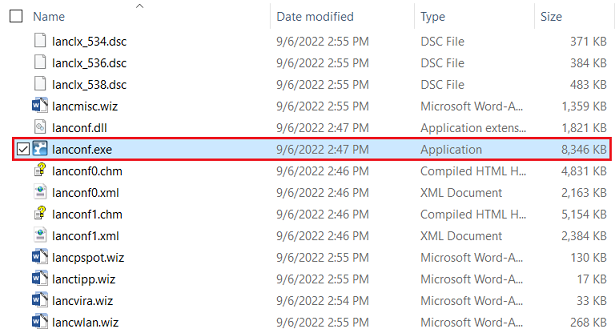
The LANconfig executable works on devices with Windows 10 on ARM. However, as the LANconfig installation process doesn't work on Windows 10 on ARM, the files have to be extracted manually, so LANconfig can be used.
This article describes which file has to be extracted, so LANconfig can be used on a device with Windows 10 on ARM.
Requirement:
Any compression program (e.g. 7-Zip)
Procedure:
1) Download LANconfig in the LANCOM download area and save the file to any folder.
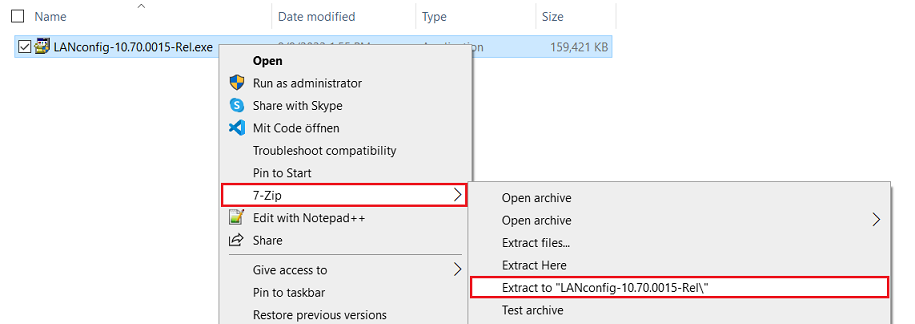
2) Extract the LANconfig installation file into a separate folder via a compression program.
3) Open the extracted folder and navigate to LANCOM → LANtools.

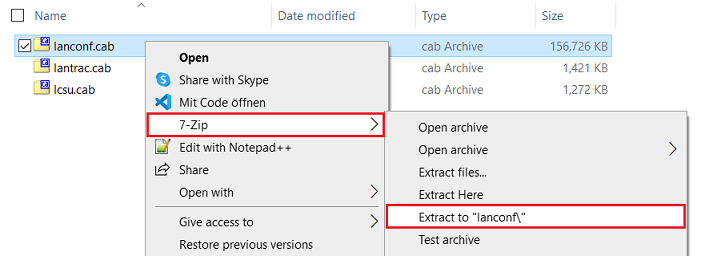
4) Extract the file lanconf.cab to a a separate folder via a compression program.
5) LANconfig can now be started in the separate folder via the executable lanconf.exe.