Description:
This document describes how you can change the configuration ports of LANCOM routers and LCOS access points.
Requirements:
1. Procedure with LANconfig:
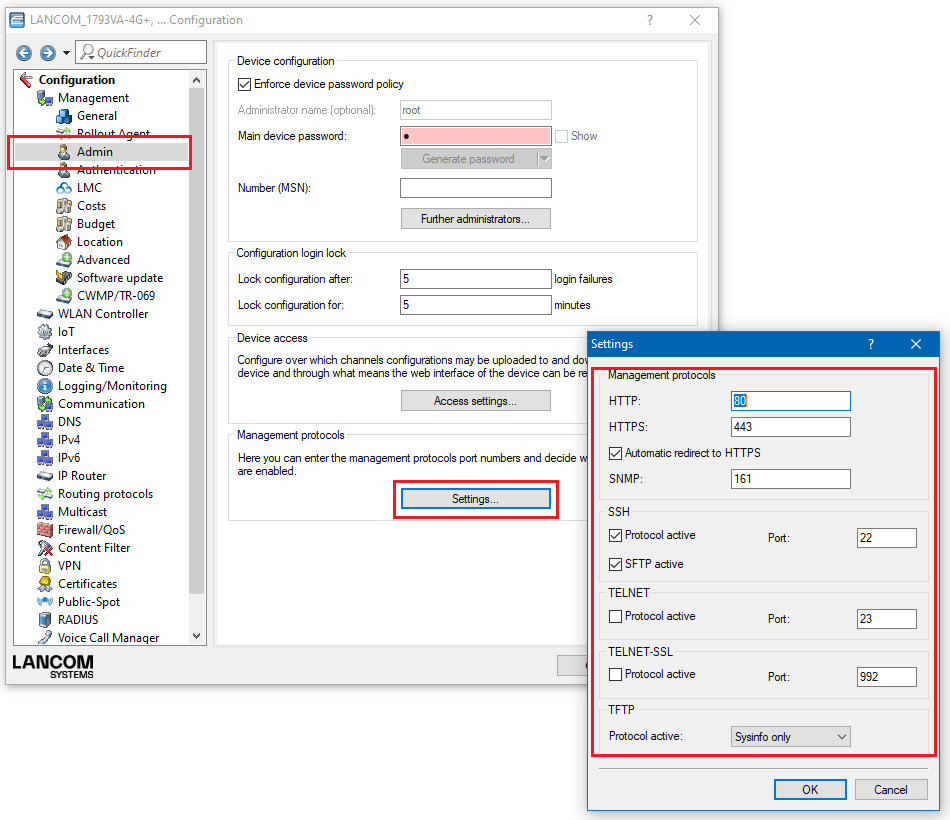
1.1) Navigate to the menu Management → Admin → Management protocols → Settings.
1.2) Specify which ports should be used for the displayed protocols. Write the configuration back to the device.
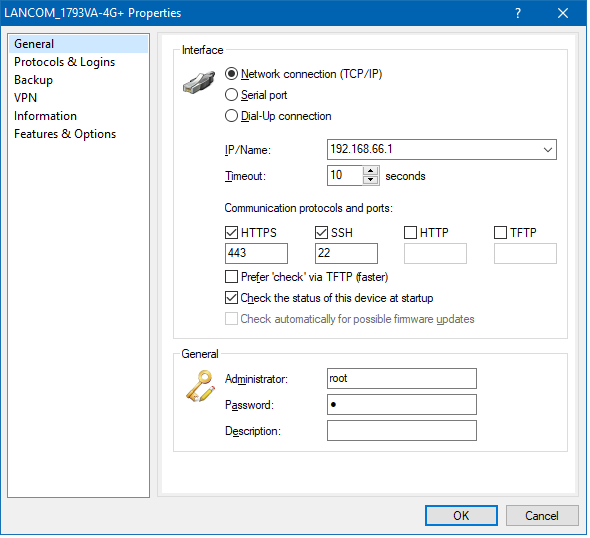
To open the configuration of the device in LANconfig, you have to enter changed communication port into the properties of the device.
2. Procedure with WEBconfig:
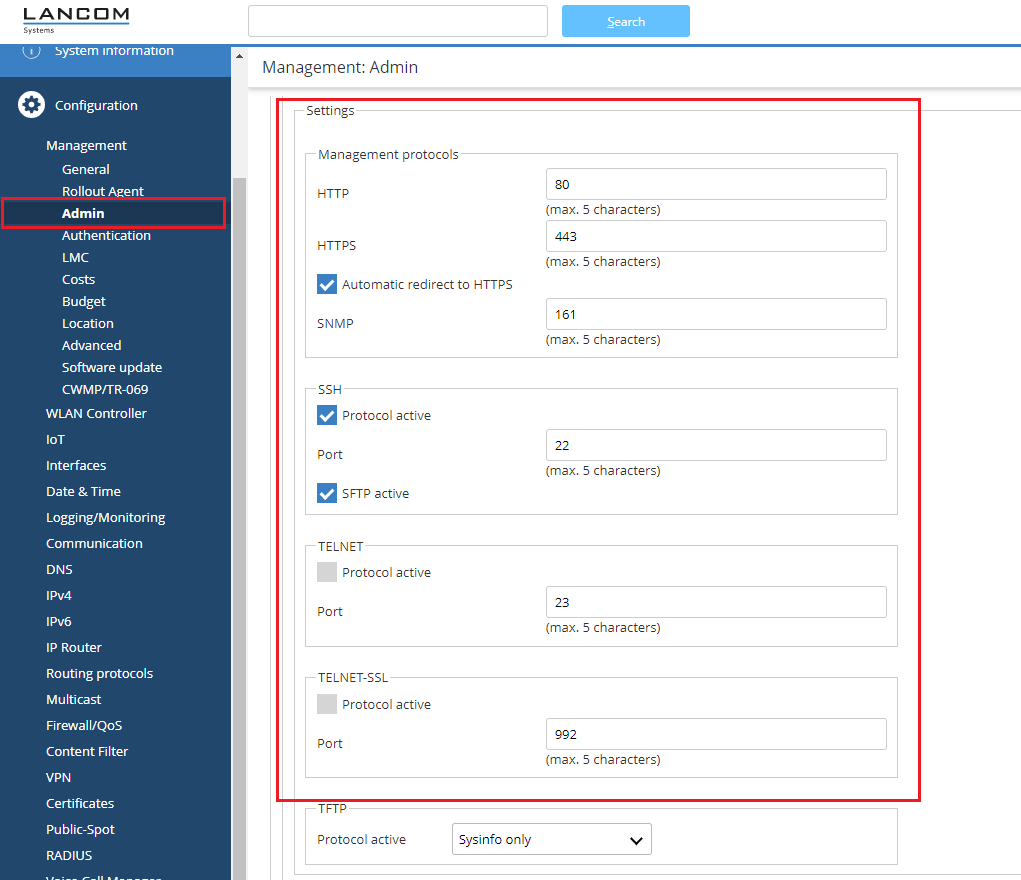
2.1) Navigate to the menu Management → Admin → Management protocols → Settings.
2.2) Specify which ports should be used for the displayed protocols. Write the configuration back to the device.