Description:
This article describes, how static IP parameters can be assigned to an access point with LCOS LX via the LANCOM Management Cloud (LMC).
Manual assignment of static IP parameters via the Detail configuration should only be done in exceptional cases (for example, in a very small scenario with very few devices). Since the gateway and a DNS server must also be entered manually in addition to the IP address, manual configuration can quickly become very extensive.
Instead, it is recommended to use an Add-in for assigning static IP parameters.
LANCOM Systems provides this Add-in as well as a description of the variables in the following document:
Configure a static IP address on an access point with LCOS LX
Requirements:
- LCOS LX as of version 5.36 (download latest version)
- Access to the LMC including your own project
- Any web browser for accessing the LMC
Procedure:
1) Allow static IP configuration for access points and switches:
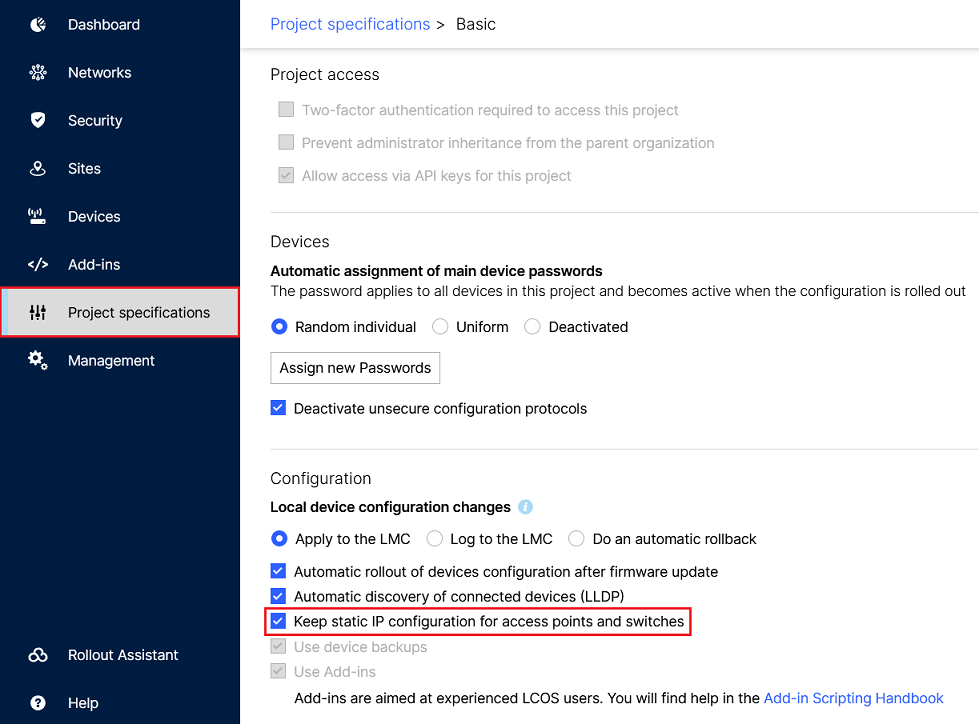
In the LMC, go to the menu item Project specifications → Basic and make sure, that the option Keep static IP configuration for access points and switches is active.
2) Configuring the static IP parameters via the “Detail configuration” of the switch:
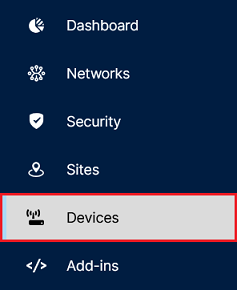
2.1) Connect to the LMC and go to the menu Devices.
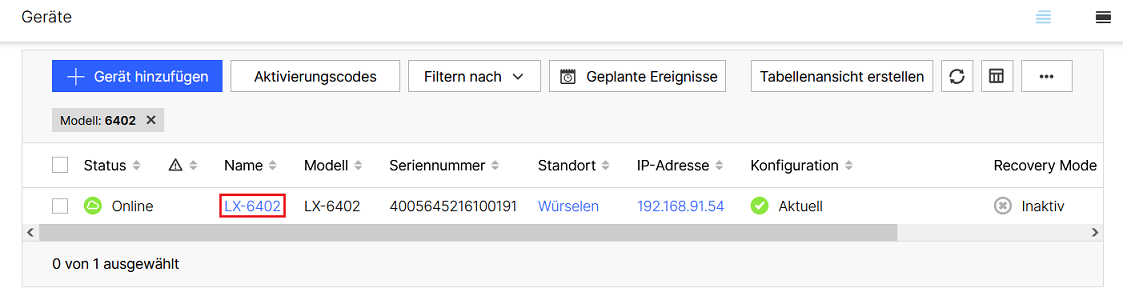
2.2 Klicken Sie auf den Namen des Access Points, um in die erweiterten Einstellungen zu gelangen.
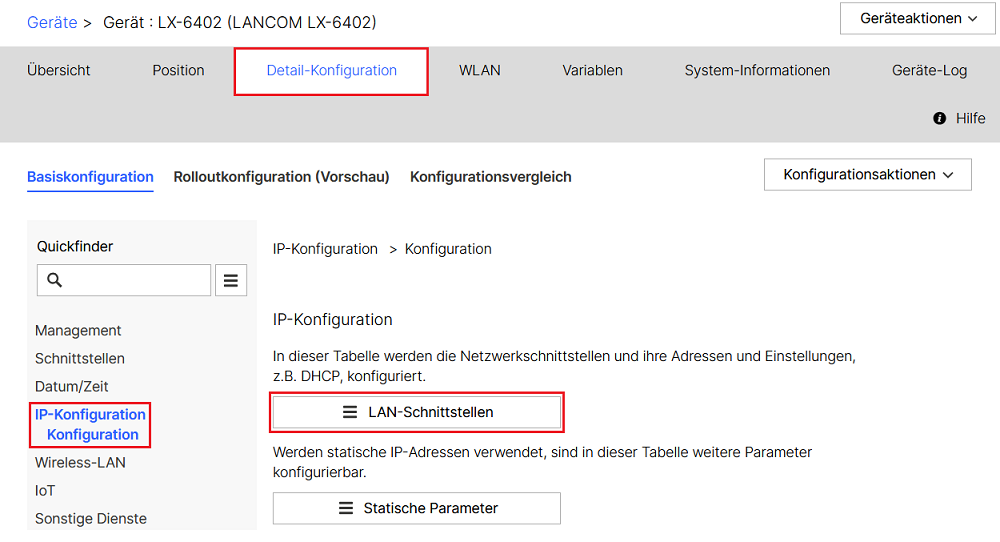
2.3 Öffnen Sie die Detail-Konfiguration des Access Points und wechseln in das Menü IP-Konfiguration → Konfiguration → LAN-Schnittstellen.
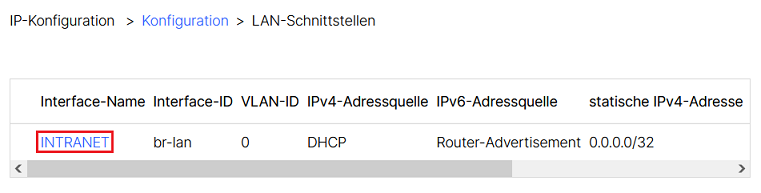
2.4 Klicken Sie auf das Netzwerk INTRANET, um in die erweiterten Einstellungen für die LAN-Schnittstelle zu gelangen.
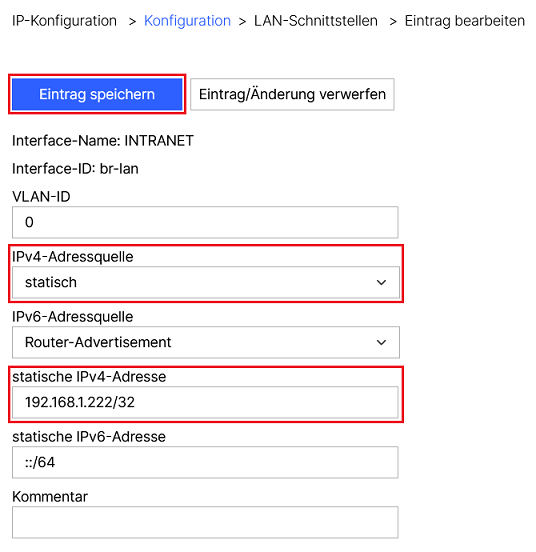
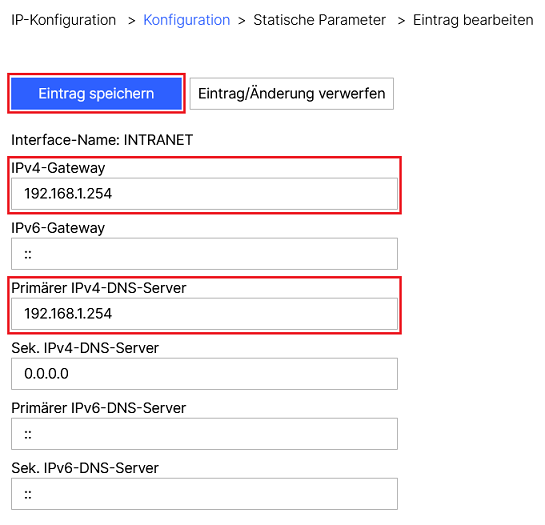
2.5 Passen Sie die folgenden Parameter an und klicken auf Eintrag speichern:
- IPv4-Adressquelle: Wählen Sie im Dropdown-Menü die Option statisch aus.
- statische IPv4-Adresse: Tragen Sie die gewünschte IPv4-Adresse in CIDR-Schreibweise (Classless Inter Domain Routing) ein (in diesem Beispiel 192.168.1.222/32).
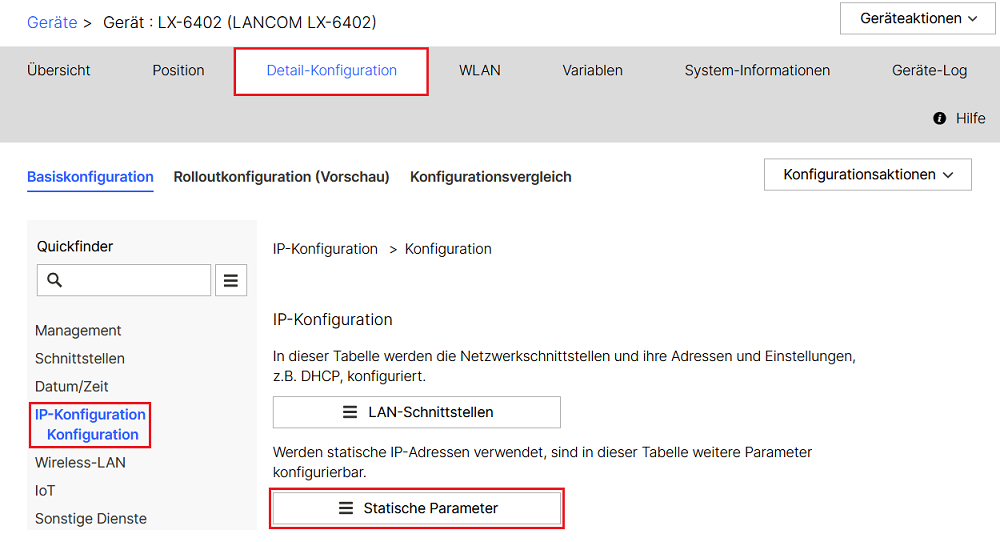
2.6 Wechseln Sie in das Menü IP-Konfiguration → Konfiguration → Statische Parameter.
2.7 Klicken Sie auf das Netzwerk INTRANET, um in die erweiterten Einstellungen der Statischen Parameter zu gelangen.
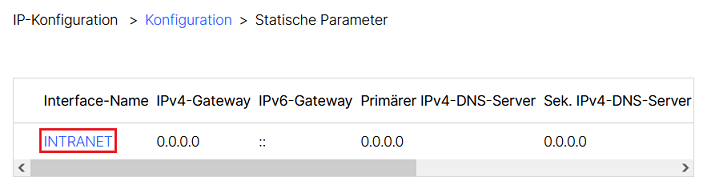
2.8 Passen Sie die folgenden Parameter an und klicken auf Eintrag speichern:
- IPv4-Gateway: Tragen Sie die IPv4-Adresse des Gateways ein (in diesem Beispiel 192.168.1.254).
- Primärer IPv4-DNS-Server: Tragen Sie die IPv4-Adresse des DNS-Servers ein (in diesem Beispiel 192.168.1.254).
3. Ausrollen der Konfiguration auf den Access Point:
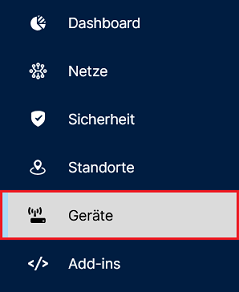
3.1 Wechseln Sie in der LMC in das Menü Geräte.
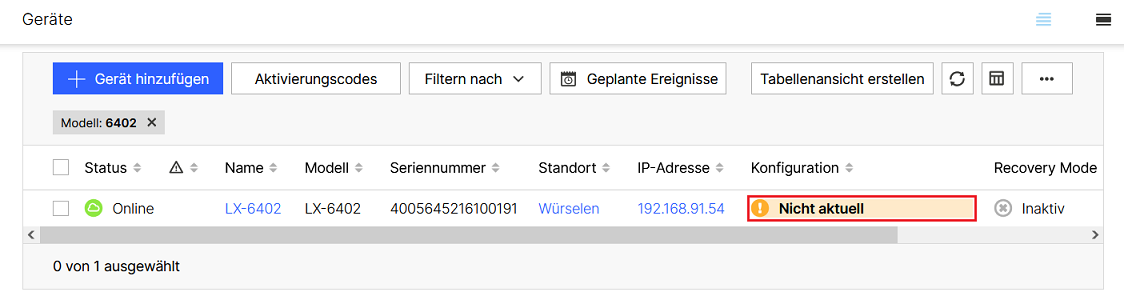
3.2 Klicken Sie bei dem betroffenen Access Point unter Konfiguration auf Nicht aktuell.
3.3 Klicken Sie abschließend auf Ausrollen, damit die geänderten Parameter übernommen werden.