Description:
The LANCOM operating systems LCOS and LCOS LX differ in various features.
This document shows you the available features in a comparison of LCOS 10.90 and LCOS LX 6.20 and provides additional information on changed configuration methods for LCOS LX.
LCOS 10.90 vs. LCOS LX 6.20:
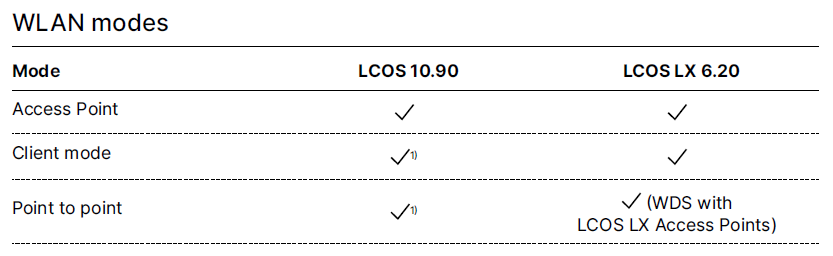 Image showing a technical configuration menu with modes for WLAN settings, including Access Point and Point-to-point options under LCOS and LCOS LX operating systems.
1) Not supported on Wi-Fi 6 routers
 An image displaying a technical configuration menu for Wi-Fi features, including options for limiting traffic between clients, hiding SSID, and setting up Hotspot Passpoint.
 Image displaying a WiFi security settings interface with options for LCOS, LCOS LX, WPA-PSK Enterprise, PMK caching, Enhanced Open, and LEPS MAC management frames.
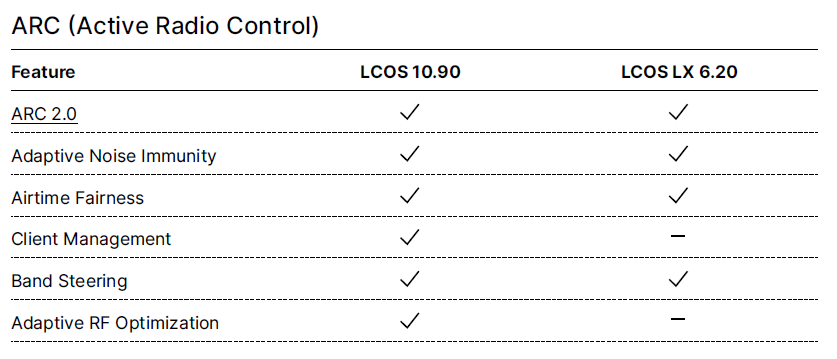 Screenshot of a technical user interface displaying the ARC Active Radio Control settings and LCOS feature configuration options.
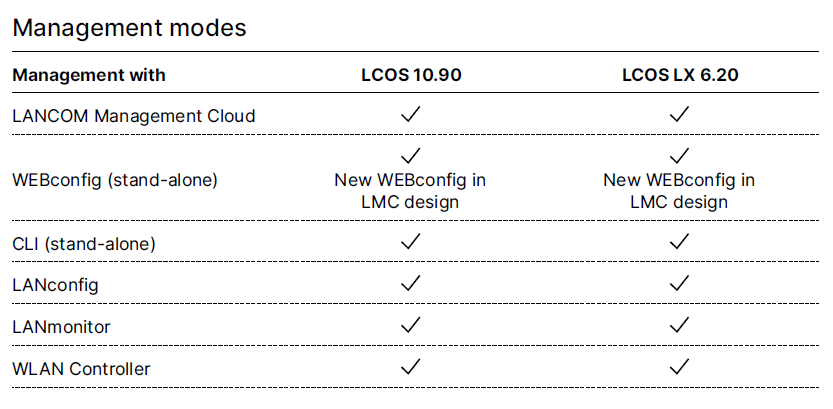 Image of a technical configuration menu showing various management modes such as LCOS, LANCOM Management Cloud, WEBconfig, LMC design, CLI, LANconfig, LANmonitor, and WLAN Controller options, each marked with availability statuses.
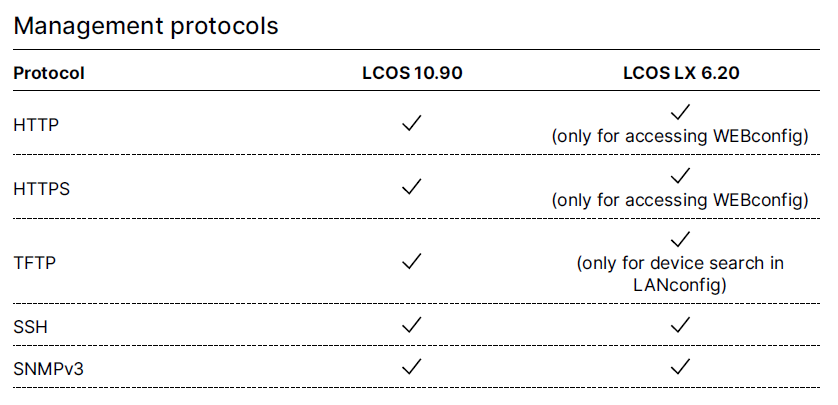 Image displaying a management protocols configuration menu with options for HTTP, HTTPS, TFTP, LAN config, SSH, and SNMPv2, each with specific access and usage settings.
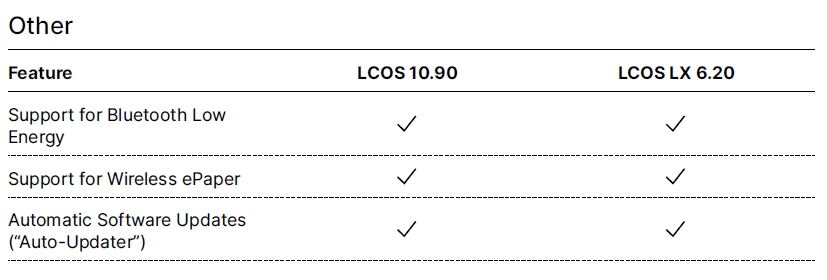 Image showing a technical comparison chart with features of LCOS and LCOSLX, highlighting support for Bluetooth Low Energy.

