This article describes the protocols each LCOS variant uses for reading out the device status or manually adding a device in LANconfig and how the protocol settings can be modified.
The device search always uses the protocol TFTP. |
LCOS:
LCOS FX:
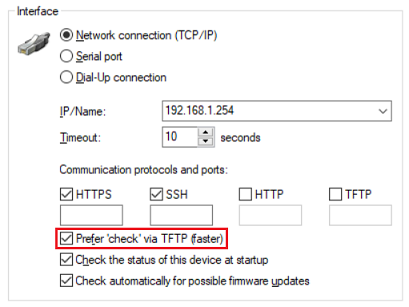
To read out the system information, the option Prefer 'check' via TFTP (faster) must be active in the device settings as well as in the global settings (default setting).
|
LCOS LX:
TFTP cannot be deactivated. If TFTP is deselected in the settings, it is automatically selected again by LANconfig. |
LCOS SX:
If only SSH is activated, LANconfig automatically uses the protocol HTTPS for communication. |
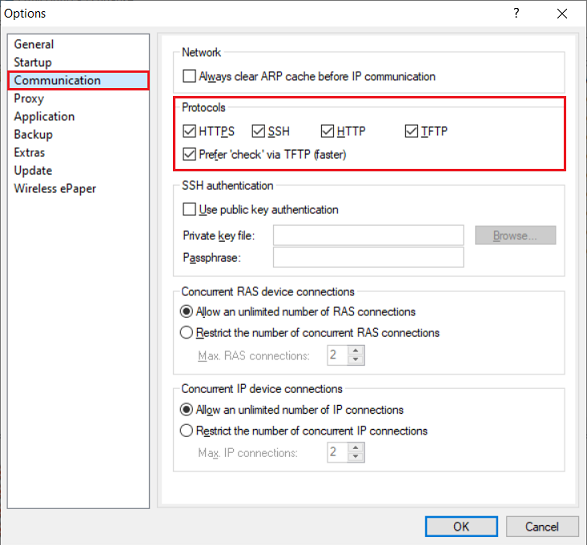
The used protocols can be globally modified for all devices in LANconfig in the menu Tools → Options → Communication. If protocols are deactivated here, these cannot be used for reading out the device status and manually adding a device anymore.
|
|