Description:

This article describes how to configure MAC authentication with Dynamic VLAN on a LANCOM router operating RADIUS.

Requirements:

Procedure:

1) Open the configuration of the router in LANconfig and navigate to the menu item Interfaces → 802.1X → RADIUS servers.
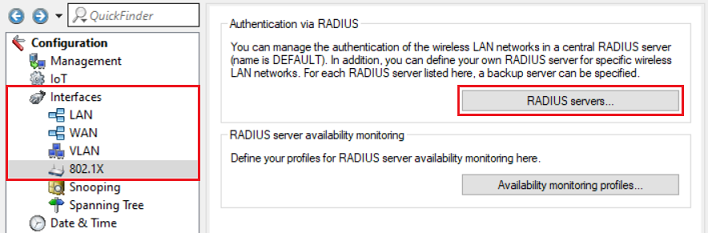
A screenshot of a network configuration interface showing options for managing wireless LAN authentication via a central RADIUS server, including settings for default management pane, specific RADIUS server definitions for certain networks, and RADIUS server availability monitoring.

2) Click on the button Default server to create an entry for the RADIUS server. 
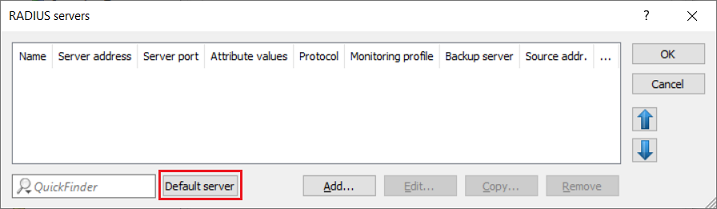
Image showing a partial view of a technical user interface related to RADIUS servers configuration settings.

3) Set the server address to the loopback address 127.0.0.1. This ensures that the RADIUS server integrated in the router is used.
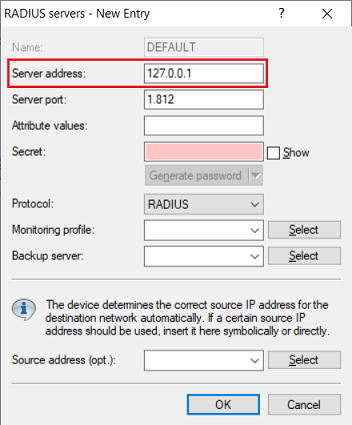
An image displaying a configuration menu for RADIUS servers with options including a new entry setup, protocol selection, and password generation features.

4) Go to the menu Interfaces → LAN → 802.1x authenticator for ETH ports.
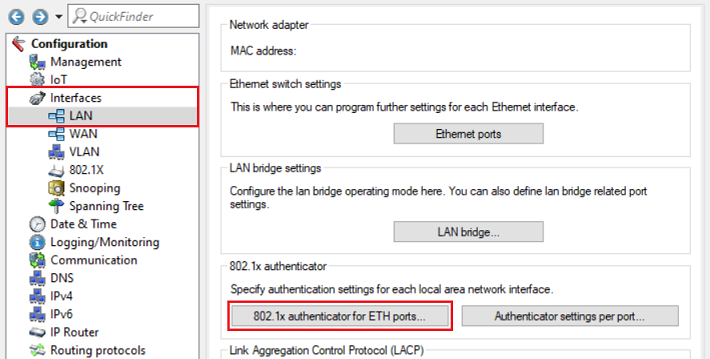
Screenshot of a network device's configuration interface showing various settings including management access, Ethernet interfaces, LAN bridge settings, logging, and routing protocols.

5) Select the physical Ethernet interface that the device requiring authentication is connected to (in this example ETH-4) and click Edit.
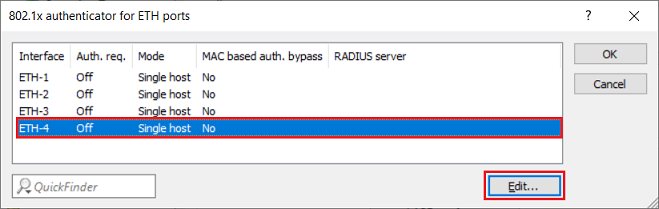
An image displaying a technical configuration interface for Ethernet port settings, featuring options for MAC-based authentication, auth bypass, and RADIUS server settings.

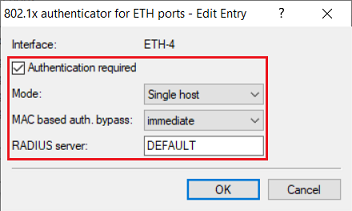
6) Adjust the following parameters:

Screenshot of a user interface for configuring an Ethereum authentication on a technical device, showing options for interface settings and authentication requirements.

7) Go to the menu RADIUS → Server and set a checkmark for RADIUS authentication active.
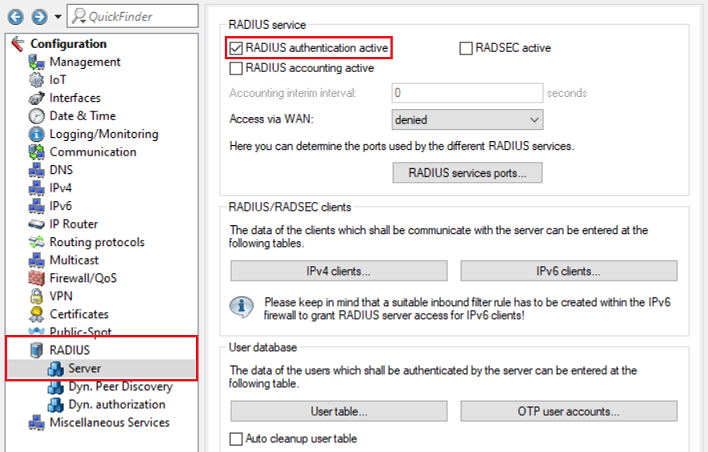
Image displaying a complex technical configuration interface with various settings for RADIUS accounting, certificate management, routing protocols, and user database configurations.

8) Go to the menu RADIUS → Server → User table.
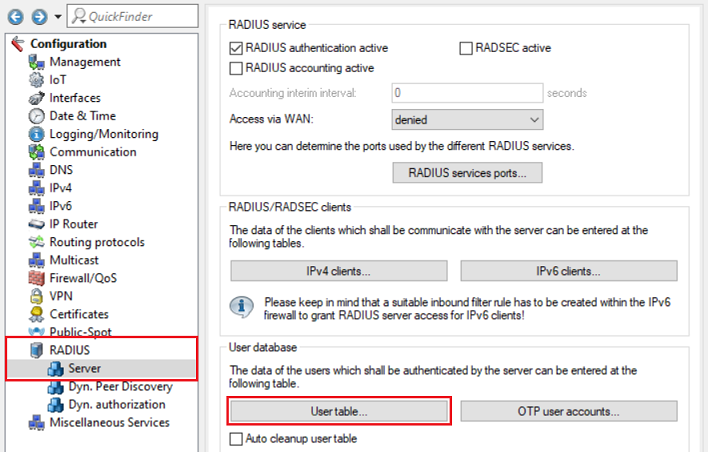
Image displaying a complex technical configuration menu for a RADIUS server, including sections for authentication, accounting, management, and various service settings.

9) Create a new entry and set the following parameters:
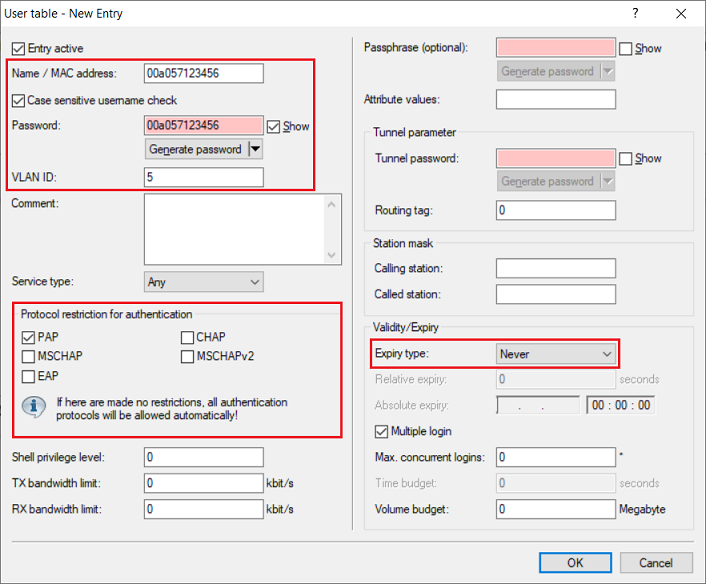
A screenshot of a technical configuration interface featuring various settings such as passphrase options, username generation, sensitivity checks, protocol restrictions, and expiry settings for authentication purposes.

10) This concludes the configuration. Write the configuration back to the router.


Thank you for your feedback! You can also send us constructive suggestions for improving our knowledge base or ideas for new articles by email to knowledgebase@lancom.de.