Description:
This document describes the settings to make on LANCOM GS-23xx series switches and LANCOM routers in order to implement MAC-based authentication at the internal RADIUS server of a LANCOM device. Thereby network participants can be authenticated via their MAC address.
Requirements: Procedure:1) Setting up the RADIUS server on the LANCOM router:
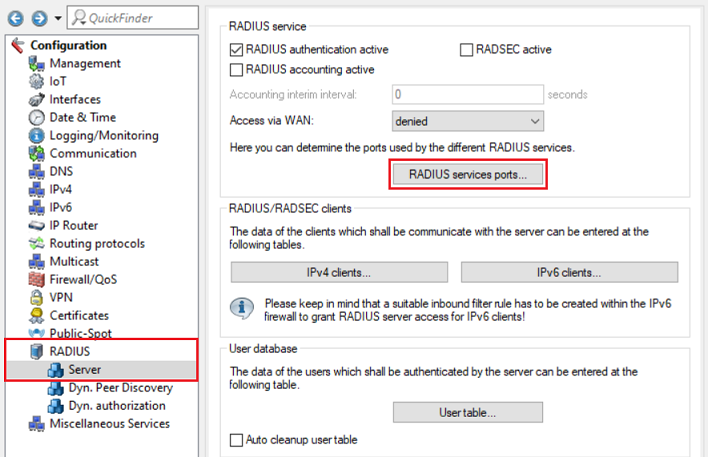
1.1) Open the configuration of the router in LANconfig, go to the menu RADIUS → Server and set the checkmark next to RADIUS authentication active .
1.2) Go to the menu RADIUS services ports .
1.3) Make sure, that the Authentication port 1812 is used.
1.4) Go to the menu IPv4 clients .
1.5)
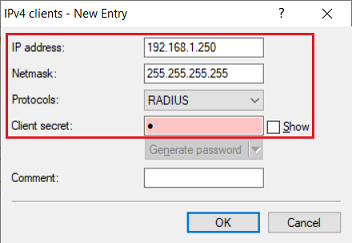
Create a new entry and modify the following parameters:- IP address: Enter the IP address of the switch, so that it can authenticate itself with the RADIUS server as RADIUS authenticator.
- Netmask: Enter the netmask 255.255.255.255. This netmask represents a single IP address.
- Protocols: Make sure, that the protocol RADIUS is selected.
- Client secret: Enter a password, the switch uses for authentication with the RADIUS-Server. In step 2.1 this is entered in the switch configuration.
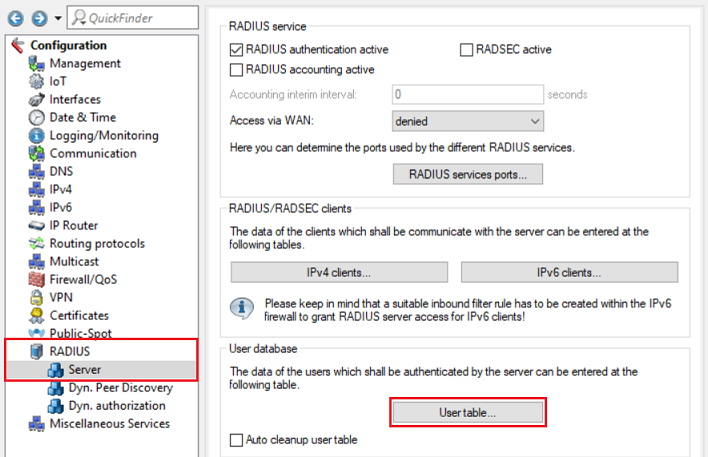
1.6) Go to the menu User table .
1.7) Create a new entry and modify the following parameters:
- Name / MAC address: Enter the MAC address of a network device which is to be authenticated in the format 00-a0-57-12-34-56.
- The option Case sensitive username check has to be deactivated.
- Password: Enter the MAC address of a network device which is to be authenticated (see Name / MAC address).
- Service type: In the dropdown menu select the option Framed.
- Expiry type: In the dropdown menu select the option Never, so that the user account will never expire.
As of LCOS SX 3.32 RU7 the switch sends a RADIUS request with the Service type Call check if MAC-based Auth is used. In this case the Service type has to be set to Call check. As an alternative the option Any can also be used. The Service type Call check is only supported as of LCOS 10.30. |
1.8) This concludes the configuration of the RADIUS server on the LANCOM router. Write back the configuration to the device.
2) Setting up the RADIUS authenticator on the switch:
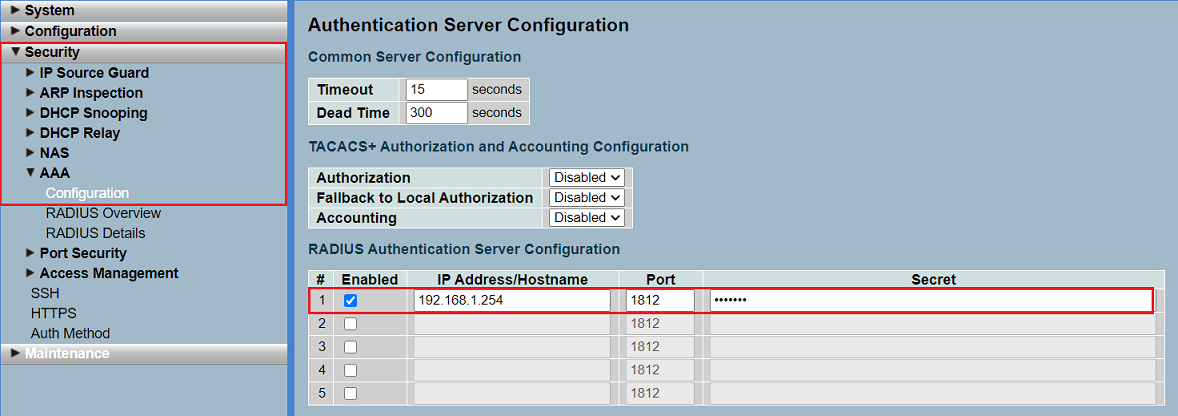
2.1) Open the webinterface of the device, go to the menu Security → AAA → Configuration, modify the following parameters in the RADIUS Authentication Server Configuration and click Apply:
- Set the checkbox for Enabled.
- IP Address/Hostname: Enter the IP address of the router where the RADIUS server was configured in step 1).
- Port: Make sure, that the port 1812 is used.
- Secret: Enter the Client secret entered in step 1.5). The switch uses this password for authenticating itself with the RADIUS server.
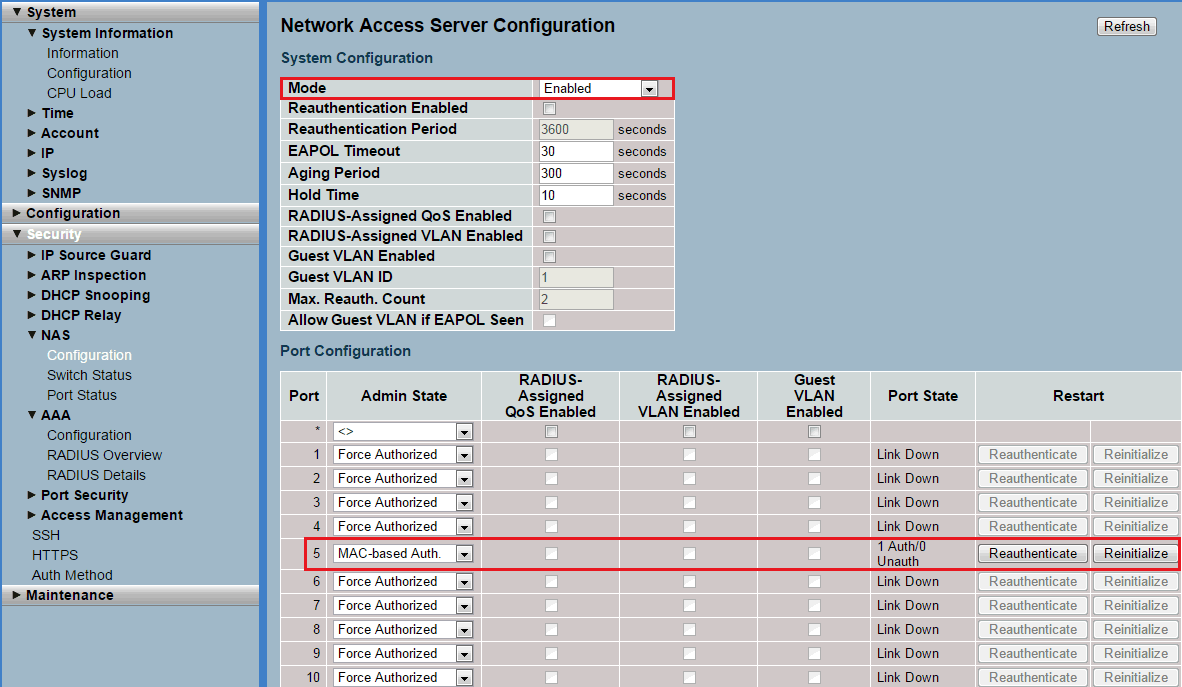
2.2) Go to the menu Security → NAS → Configuration → System Configuration, modify the following parameters and click Apply:
- Mode: In the dropdown menu select the option Enabled.
- Port Configuration: Select a port the network device to be authenticated is connected to, and for the Admin State select the option MAC-based Auth..
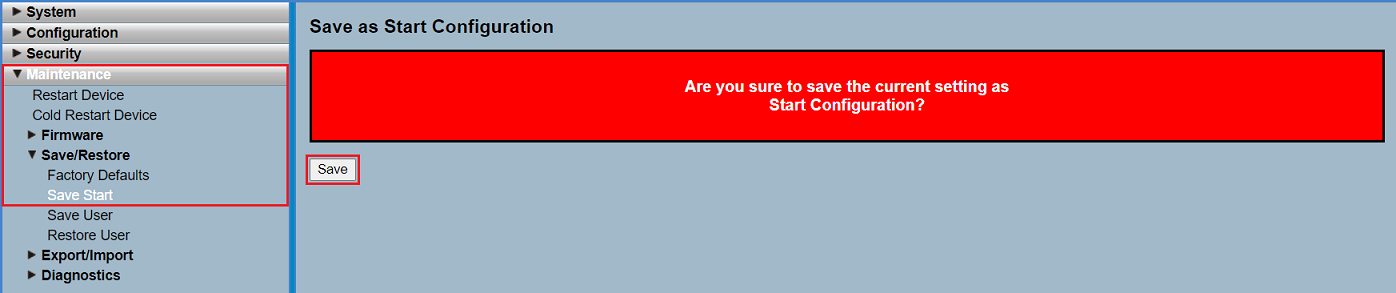
2.3 Go to the menu Maintenance → Save/Restore → Save Start and click Save to save the configuration as the Start configuration.
The start configuration is retained even if the device is restarted or there is a power failure. |
2.4) This concludes the configuration of the switch.