Description:
The Value field in LCOS allows a maximum of 64 characters, e.g. for specifying IP addresses. If you are configuring firewall objects with WEBconfig or the LANCOM Management Cloud (LMC) and you need more than 64 characters, you have the option of nesting the objects.
In LANconfig, nesting is carried out automatically when you save the configuration.
Scenario:
Procedure:
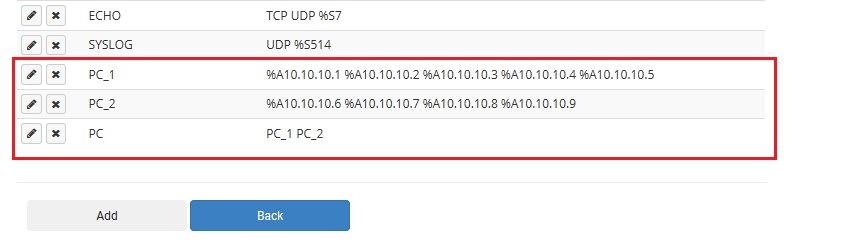
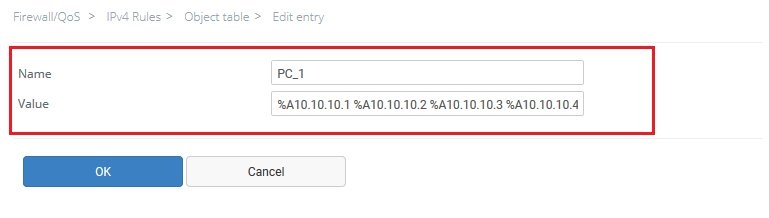
1) Create the first object and enter all of the IP addresses, each with the prefix parameter %A and separated by a space, in the field Value (e.g. %A10.10.10.1 %A10.10.10.2 %A10.10.10.3 %A10.10.10.4 %A10.10.10.5).
Give the object any name (but not too long). Save the object with OK.
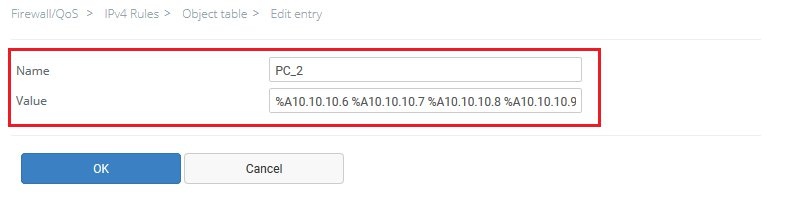
2) Create an additional object and enter the other IP addresses, each with the prefix parameter %A and separated by a space, in the field Value (e.g. %A10.10.10.6 %A10.10.10.7 %A10.10.10.8 %A10.10.10.9).
Give the object any name (but not too long). Save the object with OK.
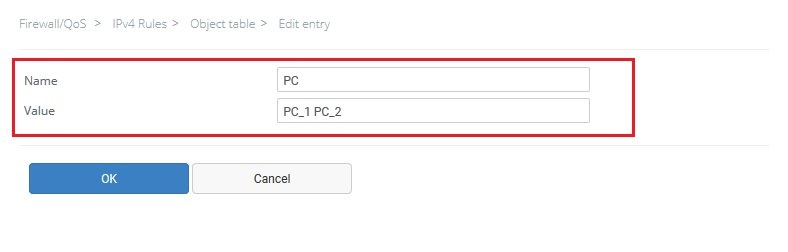
3) Create a third object which contains the names of the objects created in steps 1) and 2) (separated by a space).
4) The nesting of the objects is now configured. The configuration can now be rolled out or copied to the LANCOM device.