This article describes, how static IP parameters can be assigned to a switch with LCOS SX 3.xx (GS-23xx) via the LANCOM Management Cloud (LMC).
Manual assignment of static IP parameters via the Detail configuration should only be done in exceptional cases (for example, in a very small scenario with very few devices). Instead, it is recommended to use an Add-in for assigning static IP parameters.
Configure a static IPv4 address on a LANCOM GS-23xx series switch |
1) Allow static IP configuration for access points and switches:
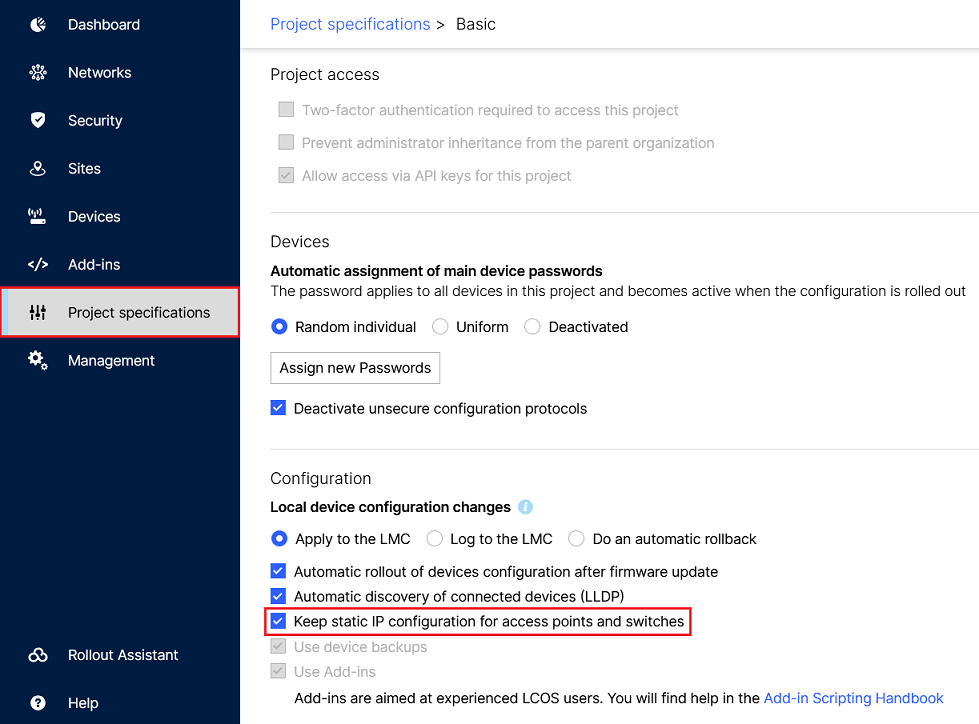
In the LMC, go to the menu item Project specifications → Basic and make sure, that the option Keep static IP configuration for access points and switches is active.
2) Configuring the static IP parameters via the “Detail configuration” of the switch:
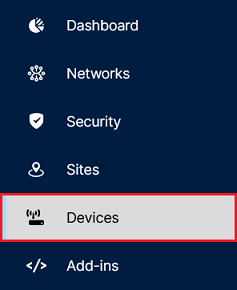
2.1) Connect to the LMC and go to the menu Devices.
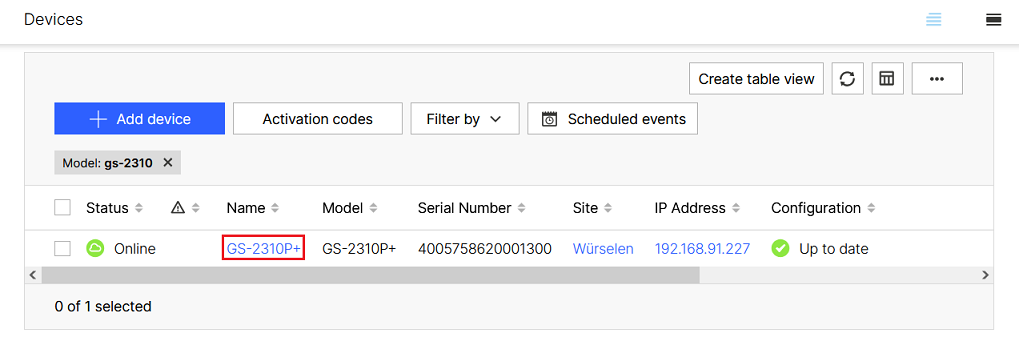
2.2) Click on the Name of the switch to gain access to the extended settings.
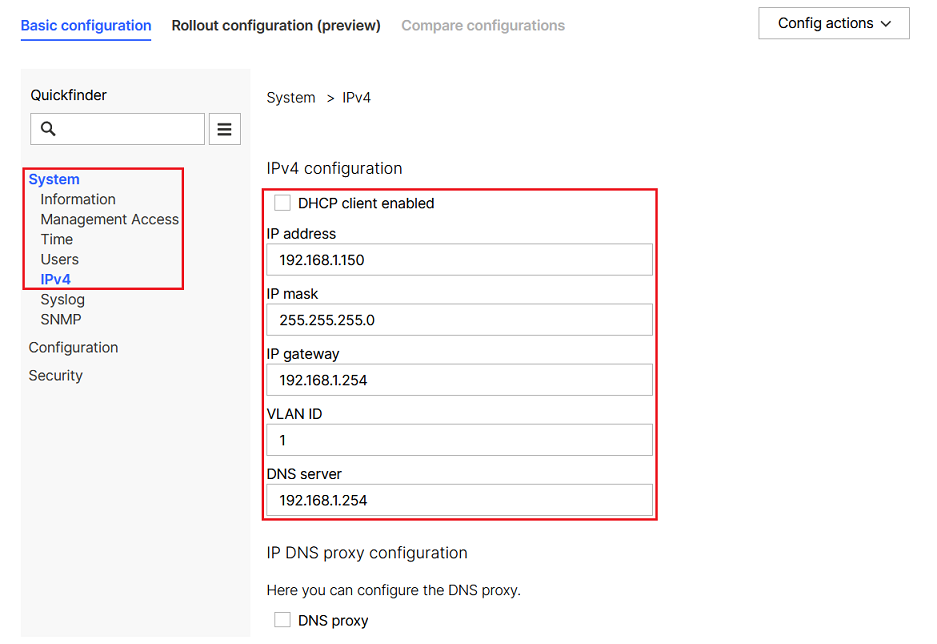
2.3) Switch to the tab Detail configuration.

2.4) Go to the menu System → IPv4 and modify the following parameters:
2.5) Finally, click on Save and roll out to implement the configuration changes.

|