
This article describes, how static IP parameters can be assigned to a switch with LCOS SX 3.xx (GS-23xx) via the LANCOM Management Cloud (LMC).
Manual assignment of static IP parameters via the Detail configuration should only be done in exceptional cases (for example, in a very small scenario with very few devices). Instead, it is recommended to use an Add-in for assigning static IP parameters.
Configure a static IPv4 address on a LANCOM GS-23xx series switch |
1) Allow static IP configuration for access points and switches:
In the LMC, go to the menu item Project specifications → Basic and make sure, that the option Keep static IP configuration for access points and switches is active.
2. Konfiguration der statischen IP-Parameter über die Detail-Konfiguration des Switches:
2.1 Wechseln Sie in der LMC in das Menü Geräte.
2.2 Klicken Sie auf den Namen des Switches.
2.3 Wechseln Sie in den Reiter Detail-Konfiguration.
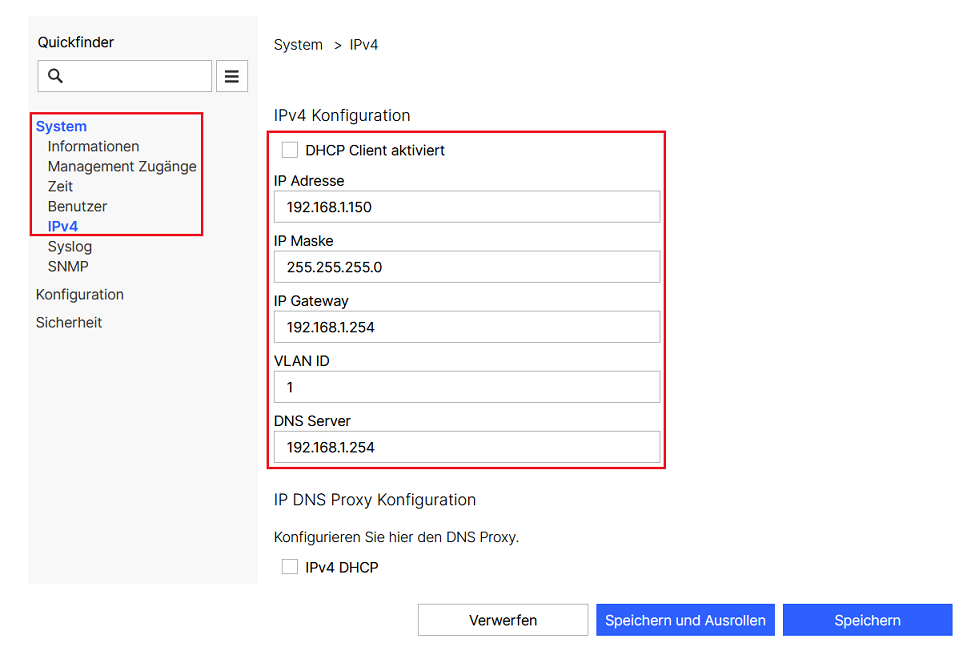
2.4 Wechseln Sie in das Menü System → IPv4 und passen die folgenden Parameter an:
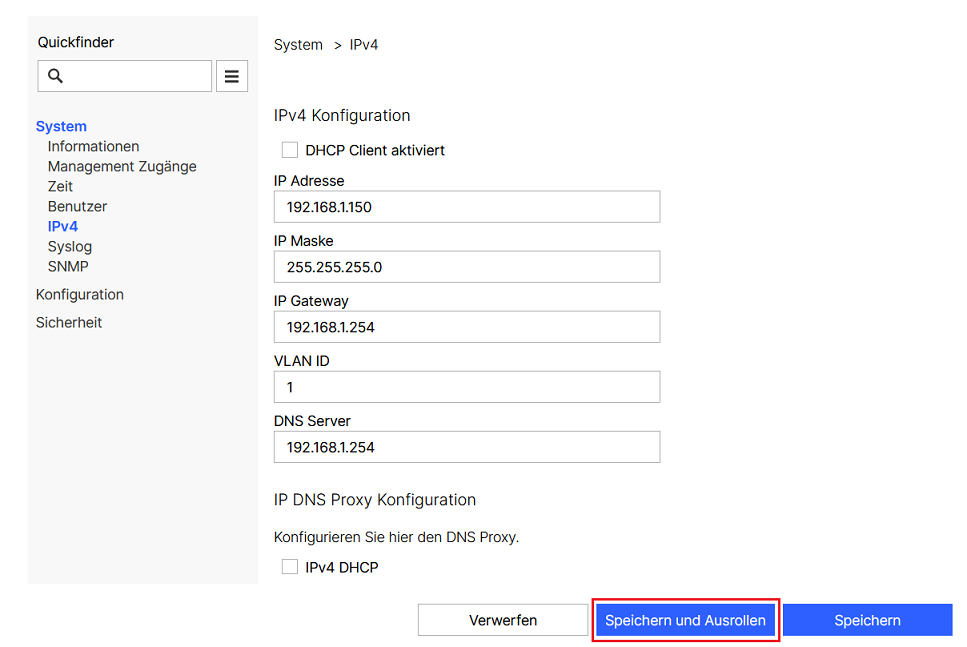
2.5 Klicken Sie abschließend auf Speichern und Ausrollen.
|