
Description:
This article describes how debug information can be gathered on an LMC-managed access point with LCOS LX via the WEBconfig tunnel.
Additional information on how to gather debug information on an access point with LCOS LX can be found in the following Knowledge Base article:
Gathering debug information of an access point with LCOS LX via WEBconfig or SCP
Requirements:
- LCOS LX as of version 6.14 (download latest version)
- Access to the LMC with your own project
- Any web browser for accessing the LMC
Procedure:
1) Downloading the debug information of the access point via the WEBconfig tunnel in the LMC:
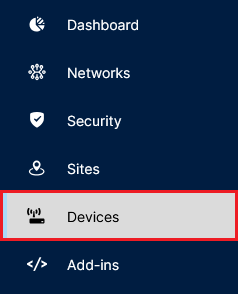
1.1) Connect to the LMC and open the menu Devices.
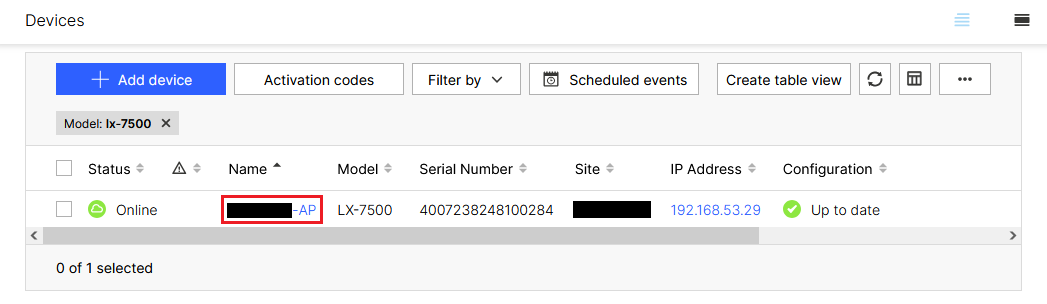
1.2) Click on the Name of the access point to gain access to the extended settings.
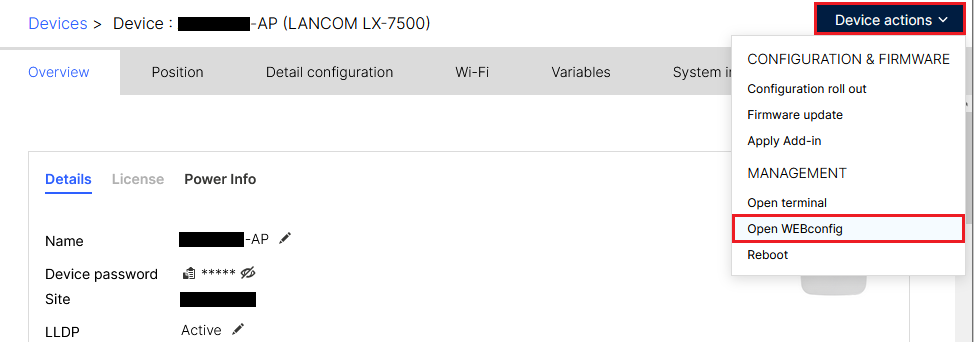
1.3) Click on Device actions → Open WEBconfig.
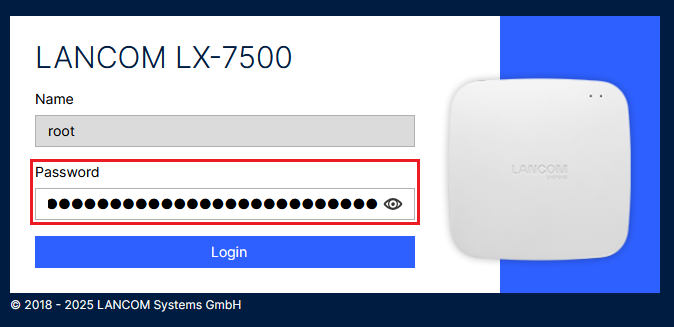
1.4) Enter the password of the access point in the browser window of the WEBconfig session.
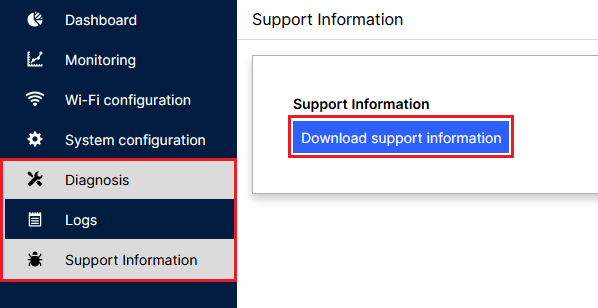
1.5) Go to the WEBconfig menu Diagnosis → Support Information and click on Download support information.
2) Sending the information to LANCOM Support for further analysis:
Contact LANCOM Support with the following information:
- Frequency of sudden restarts
- Scenario, in which the access point is used (LMC)
- Possibly conspicuous accompanying circumstances
- Debug information downloaded via WEBconfig (see step 1)
- Configuration file of the access point
