Description:
This document describes how to invite another user to your LANCOM Management Cloud project.
Requirements:
Procedure:
Requirements:
- Existing project in the LANCOM Management Cloud, in which you are logged in as project administrator.
Procedure:
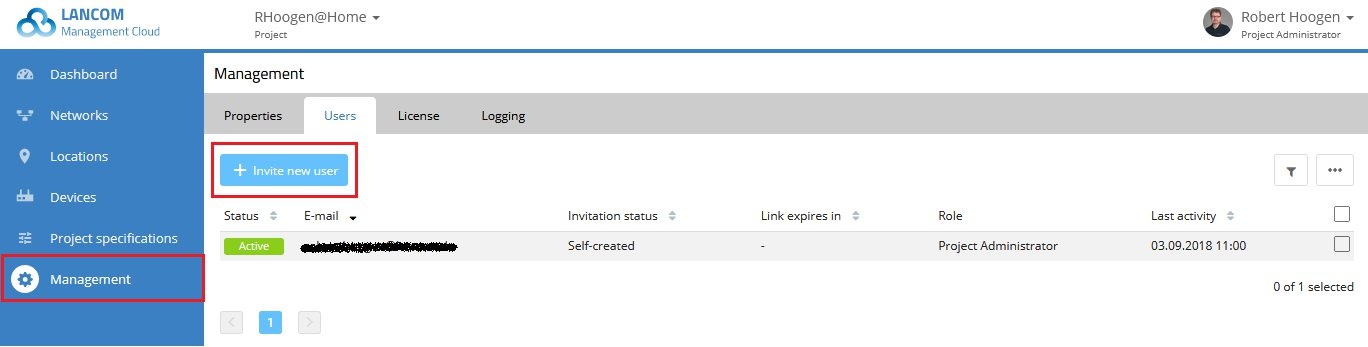
1. Open the Management menu and switch to the Users tab.
2. Click Invite new user.
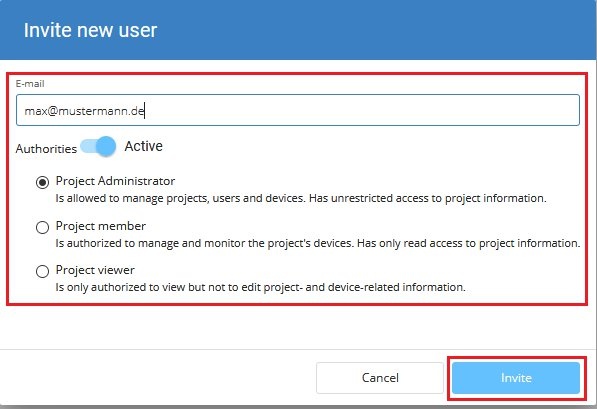
3. Enter the user's e-mail address.
4. Then select the authorization level of the new user. You can change this later if necessary.
5. Then click Invite.
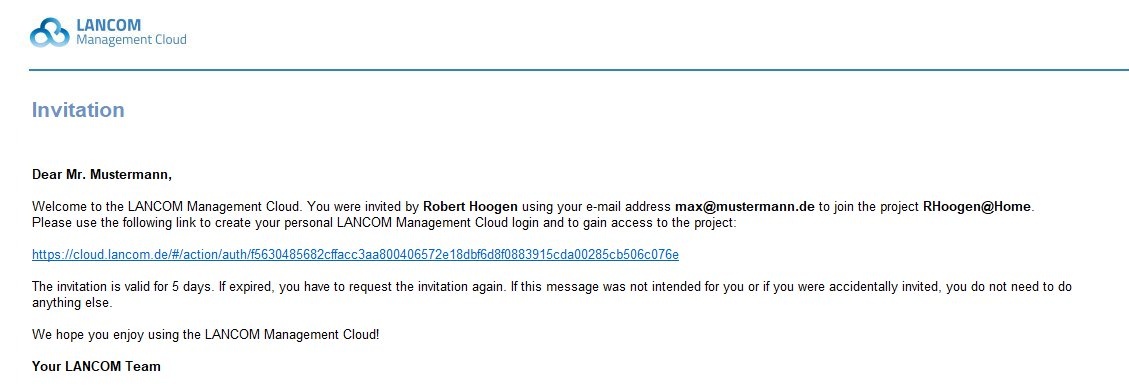
6. The invited user receives an e-mail with a link to the respective project in the LANCOM Management Cloud.
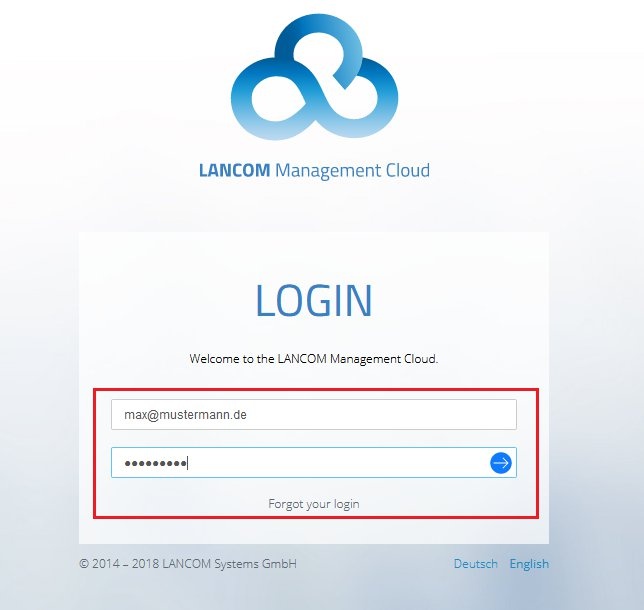
7. When the link is clicked, the login page of the LANCOM Management Cloud opens.
- The invited user must enter the e-mail address used for the invitation as the user name.
- The invited user must also assign a password for his access.
8. Then click on the blue arrow to finish the login.