
Description:
You wish to block access to certain websites (e.g. www.web.de).
Requirements:
Procedure:
Requirements:
- LCOS as of version 8.50 (download latest version)
- LANtools as of version 8.50 (download latest version)
- The LANCOM router has to act as DNS server in the network
Procedure:
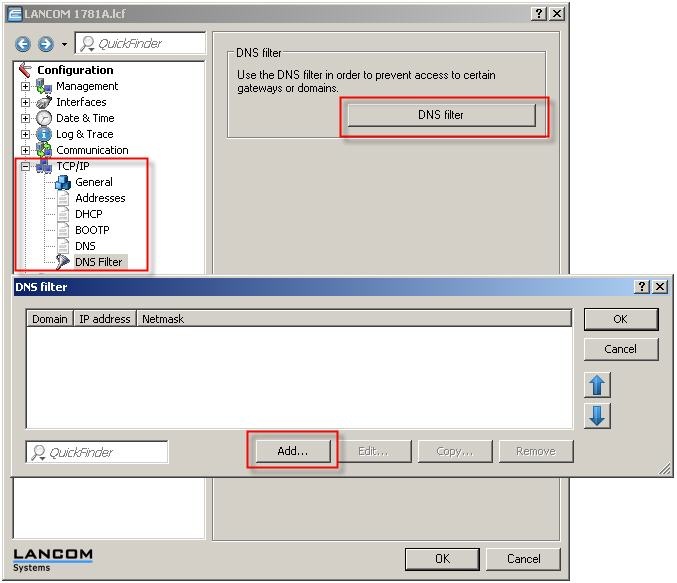
Start LANconfig and go to the DNS filter in the menu TCP/IP → DNS filter → DNS Filter.
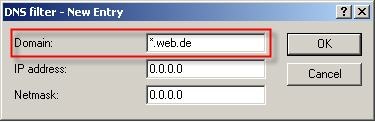
With this setting, all attempts to access the domain "*.web.de" are filtered out. This example makes use of a wildcard (*). This wildcard stands for "any number of characters", i.e. all characters that are input before the string web.de are taken into account. You can use this wildcard before and after the string, e.g. *yahoo*. In this case, access to www.web.co.uk, www.yahoo.com, etc. is blocked.
If the DNS restriction is to apply only for a particular host or sub-network, then you can enter this accordingly in the IP address field. You can use the netmask to specify the appropriate subnet (e.g. 255.255.255.240) or the host (e.g. 255.255.255.255).

Finally, delete the DNS cache (from the command line) of the workstation:

