
Description:
Since LCOS 8.82, it is possible to configure a standalone DNS server for each ARF network. This is ideal for creating separate logical networks, each of which requires its own DNS server configuration.
DNS requests are processed by the router under consideration of the routing context of the requesting client. In this way, the forwarding of requests and local host names can be individually configured for each context.
For information about the configuration of ARF networks, see the following Knowledge Base articles:
Requirements:
- LCOS as of version 8.82 (download latest version)
- LANtools version 8.82 (download latest version)
Procedure:
In this example configuration, three ARF networks have been set up (NETWORK-1, NETWORK-2, NETWORK-3) which are separated from one another by interfaces tags. A stand-alone DNS server is to be operated for each ARF network.
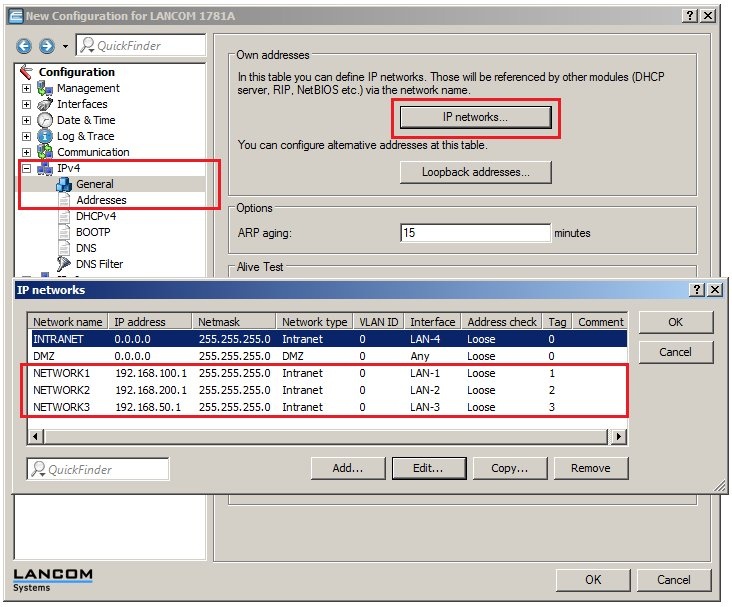
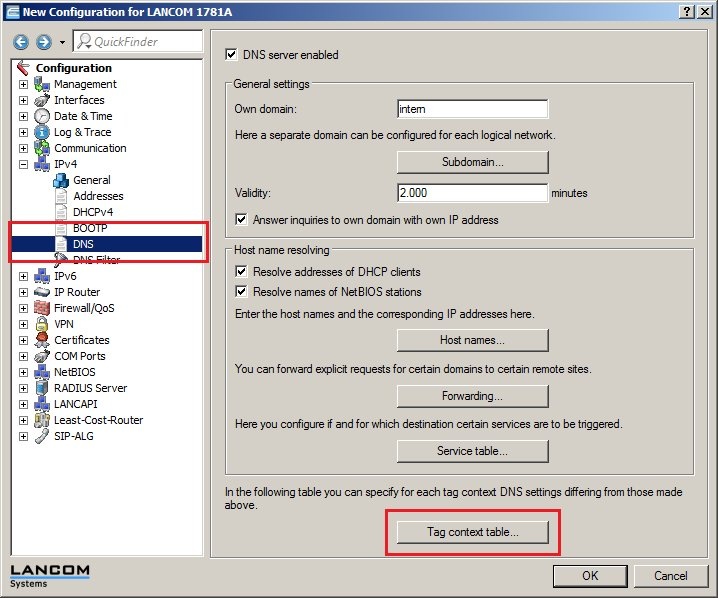
1) Navigate to the menu IPv4 → DNS → Tag context table.
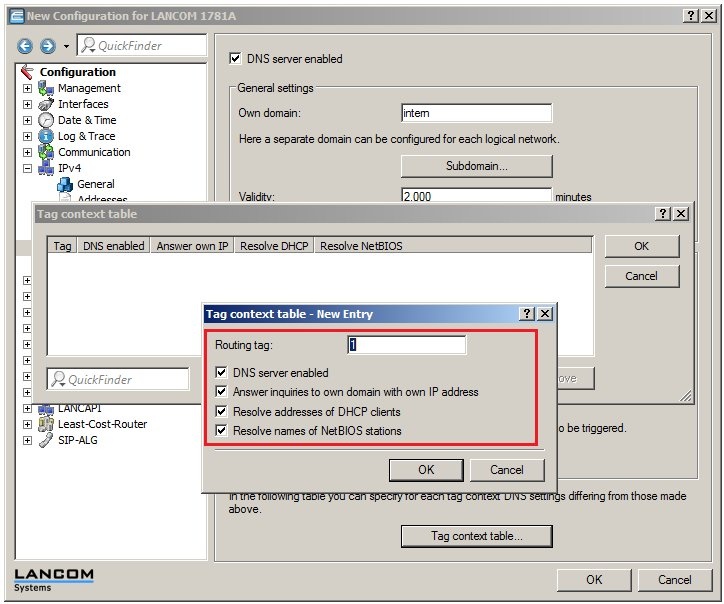
2) Click on Add and enter into the field Routing tag the value 1.
3) Select the option DNS server enabled.
4) Click on the OK button to accept your settings.
5) Repeat the steps 2 through 4 for the other routing tags (in this example routing tags 2 and 3)
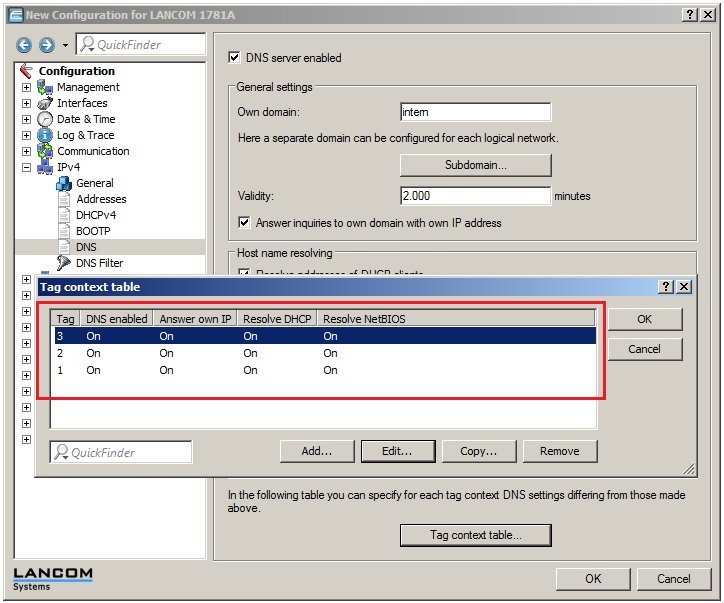
6) Click on OK to accept the settings and write the configuration back to the LANCOM router.
