
Description:
This document describes how to configure a LANCOM router as a time server (NTP).
Requirements:
- LCOS as of version 7 (download latest version)
- LANtools as of version 7 (download latest version)
Procedure:
To set up a time server in the LANCOM, you first have to make some manual settings. Open the configuration of the router in LANconfig and go to the menu Date & time → Synchronization → Time server.
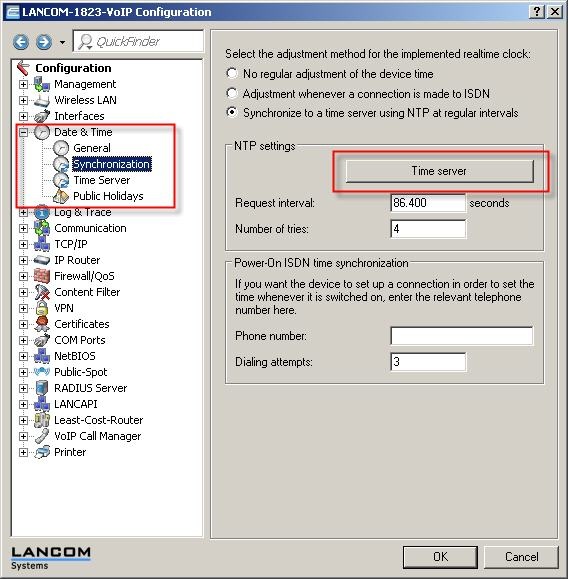
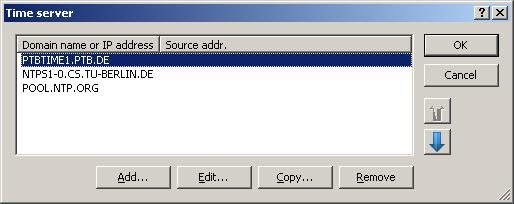
In this example, the time is to be regularly updated using PTBTIME1.PTB.DE.
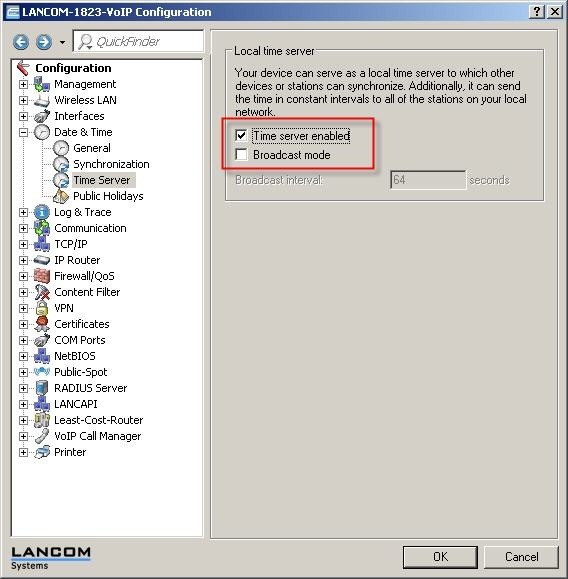
You then activate the time server in the Time server menu.
Microsoft Windows as NTP clients:
In MS Windows, the 'Date & time properties' provides a function for synchronizing the time with NTP servers. To query the NTP module in the router, simply enter the LAN IP of the router as the server.
