Description:
When using auto detection the SFP ports on LANCOM switches can only detect the SFP module. No negotiation is done between the two connected switches. If for example a switch with a 10 GBit SFP+ module is connected to a switch with a 1 GBit SFP module the link cannot be established. Therefore the link speed must be set to a fixed value (the same value on both switches).
This article describes how the speed for the SFP ports can be set on GS-23xx, GS-3xxx or XS as well as GS-45xx series switches.
Make sure, that access to the management IP address of the device is possible via another or an additional port. If a connection via the SFP port cannot be established, access to the switch is still possible.
The port configuration has to be made before plugging in the SFP module.
Only use Direct Attach Cables (DAC) and SFP modules supported by LANCOM Systems. Support for third-party DACs and SFP modules is excluded and will not be provided.
Requirements:
- LANCOM Switch of the GS-23xx, GS-3xxx or XS as well as GS-45xx series
- Any web browser for accessing the webinterface
Procedure:
GS-23xx series:
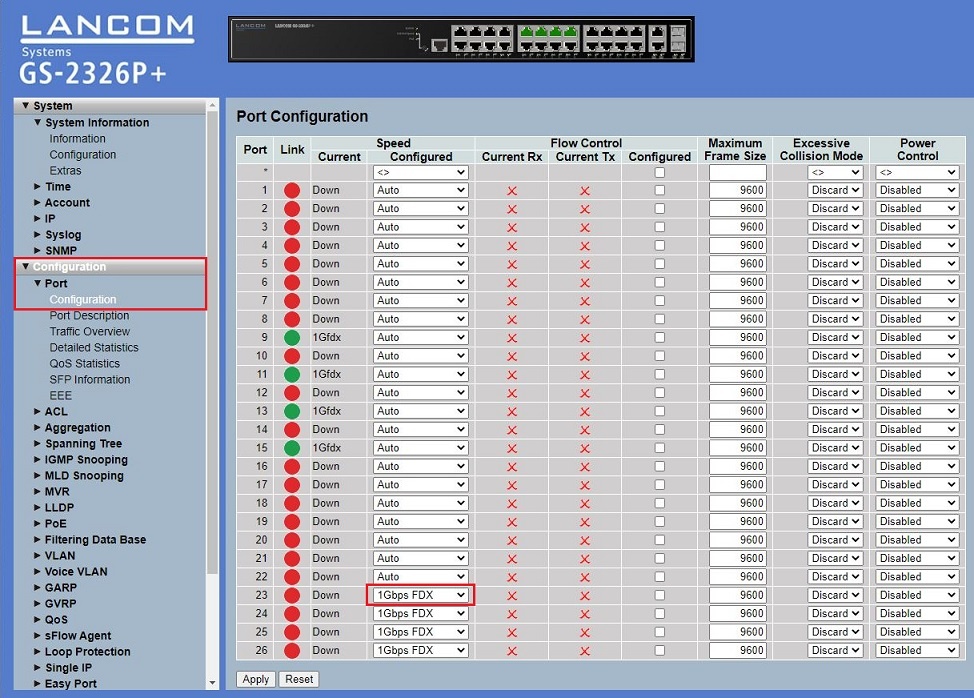
Go to the menu Configuration → Port → Configuration and set the speed for the SFP port (ports 23 - 26) under Speed - Configured.
GS-3xxx series:
1) Go to the menu System → Port Management → Port Configuration.
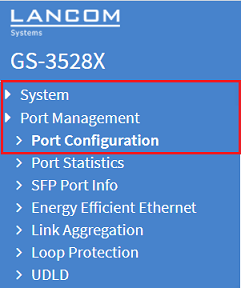
2) Set the speed for the used SFP port under Mode (ports 25 - 28).


XS and GS-45xx series:
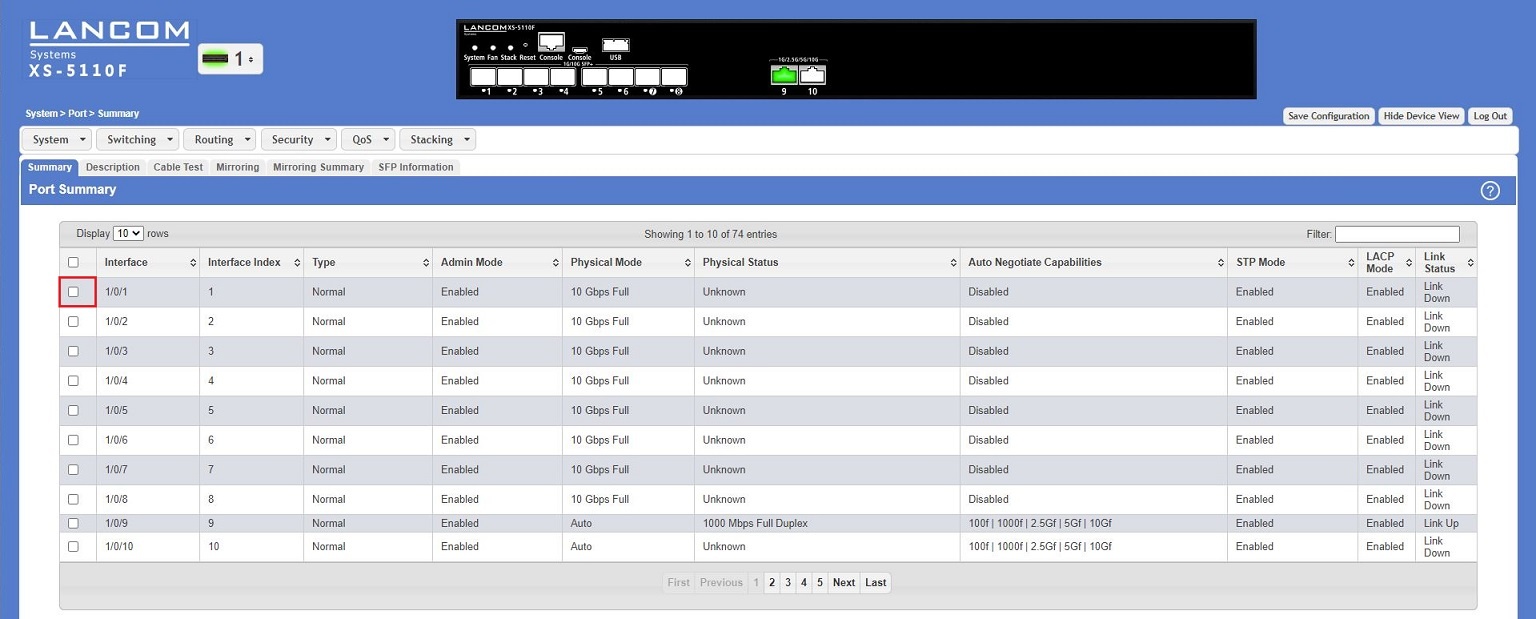
1) Go to the menu System → Port → Summary → Port Summary and click the checkbox of a SFP port (ports 1 - 8) to edit its settings.
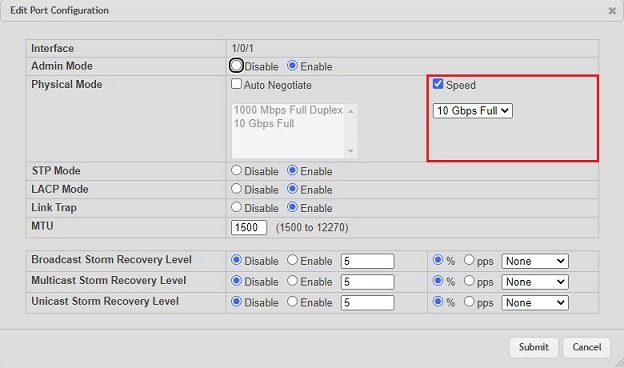
2) Check the checkbox Speed and select a port speed.
When configuring stacking the stacking ports can be operated exclusively with the native port speed. Therefore with stacking it is not possible to use an SFP module with a lower speed than the native port speed on these ports (e.g. a 1 GBit SFP module on a 10 GBit port).